Posts by red51

A small new update is available now!

    Thanks for your feedback! :)


    Also, I have to nitpick about the look of the "milkyway" in the night sky unless it's established that we are on some far off world. But the milky way looks like two white fuzzy paint stroke against the starry sky. Here's the best I can find that represents its appearance to the naked eye:

    In fact it's not necessarily the milky way, instead it's just a more generic space texture :D We preferred that one over a regular star sky (like in the old version), even if it's not that realistic. But we'll think about changing that :)


    So i had to try and... any idea when Hell will be available? Are there plans to make that a vertical-layered biome like some other future underworld areas? :-D

    Unfortunately no ETA for that yet :silenced: We've done some preparations to hell but disabled it for the demo. About vertical-layered biomes, unfortunately we haven't implemented actual biomes yet (except some forests, which are technically also biomes), so I can't say much about that yet... but it's planned :)


    I'm going to see if I can make a video of this shortly, if the performance allows me. I kept experiencing slight stuttering as if its loading chunks or something

    Hmm... if performance is causing trouble, maybe create a new topic in the Help section with some information about your hardware (and your current config) :) Then we can check out what's going on there.

    Messias Grundsätzlich ist keine Neuinstallation notwendig, aber manchmal kann es helfen, Steam neu zu starten (denn manchmal dauert es etwas, bis jeder Steam Client Änderungen wie neue Branches bekommt) ^^ Aber freut mich, dass es jetzt funktioniert :thumbup:

    Thanks for the logs! It looks like Unity tries to run the game with resolution 0x0 :wat: It's difficult to say what's going on there... unfortunately the Linux version of Unity is suffering from lots of issues when it comes to the HDRP...

    Unfortunately this crash happens before the game is actually launched, to changing the config wouldn't help, but one thing you could try: Instead of disabling the smaller monitor, please try to launch the game with the command line argument -monitor 1 and see if it works better then.

    Ich finde keinen Weihnachtsbaum und Texturen finde ich auch keine.

    Es gibt einen kleinen "Spielplatz" - mit dem Befehl goto 0 0 0 kannst du dich dorthin teleportieren :D


    Nachdem ich ein paar Wettereffekte gewechselt habe, sind meine Farben jetzt blass, eher in Richtung Schwarz/Weiß gehend.

    Schwarz-Weiß? :thinking: War vielleicht schon fast Nacht? Oder evtl. einen Wettereffekt wie Nebel o.ä. gewählt? Sonst im Zweifelsfall bitte einfach einen Screenshot posten ;)


    den virenscanner kurz ausgeschaltet brachte die installation fertig.

    Oh, da bin ich erleichtert :thumbup:

    Tried to remap the movement control to the up/down/sideways arrows but it didnt take. When I went back into settings it had changed to "print" for all 4 directions.

    Oh that's strange :wat: We had a similar issue with the game recognizing "fake input" some time ago. It could be related to Unitys new Input system we're using (which is still suffering from various issue), but we'll check out what's going on there.


    Does it still get this wrong input after restarting your machine (no need to do that now, maybe just try it tomorrow or something like that)?


    Yup, opus.so is definitely present. Really looking forward to firing this up but I appreciate you'll probably have a whole host of issues to deal with for the majority Windows player base first.

    Unfortunately we couldn't reproduce it so far, but we're still trying to find out what's wrong. In fact this is the only received reports about two errors - the issue described by agiser and Groovaholic and your report (but I'm not sure if any other Linux player did run the game yet) :thinking:


    I think that the previous design of the launcher and the RW bulletin board looked better than the current one.

    You mean the Java Standalone launcher? Personally I don't like the design of the old standalone launcher very much :saint: Especially since it's causing trouble on various machines.... but well, there is no accounting for taste :D


    When talking about the bulletin board, do you mean the forum? We changed that design back in January ^^

    Ist das jetzt bei mir ein Fehler, wenn ich F12 drücke macht der immer gleich zwei Screenshots

    Das ist merkwürdig, das prüfen wir nochmal nach :)


    ich habe es gestartet, ein paar minuten lief es und dann hat sich das game geschlossen.

    in steam steht nun wieder "update benötigt"

    wenn ich es aber starten will kommt kurz darauf die meldung "festplattenschreibfehler"

    Oh, das hört sich nicht gut an =O :thinking: "Festplattenschreibfehler" kommt leider nicht von uns, sondern direkt von Steam - im schlimmsten Fall kann das wirklich bedeuten, dass es ein Hardwareproblem mit der Festplatte gibt :wat: Könnte aber auch sein, dass evtl. ein Anti-Viren-Programm Steam daran hindert, Daten herunterzuladen...


    Sieht schon super aus. Quali habe ich ganz hoch gedreht. Beim Gewehr muss das Visier neu justiert werden :D Projektil schlägt zu weit unten ein :D .

    Danke! Das mit dem Gewehr stimmt, das müssen wir noch etwas anpassen :saint:


    Vergiss meine Tunnelfräse nicht

    Hehe, auf jeden Fall :D

    I have to say that the graphics looks absolutely stunning. Thank you.

    Thanks for your feedback! :)


    Also, one question: after the Java version gets discontinued, will your release the source code of the Java version (and ideally release it under an open source license)?

    Unfortunately we have no plans atm to release the source code of the Java version :| But we'll think about that!


    ArgumentOutOfRangeException - Non-negative number required.

    We're looking into this issue!


    Thank you for the quick response. Doesn't work I'm afraid, another crash report sent. If it's related libopus is installed on my system.

    Bummer... :( Thanks for the new report! We'll check out what's going on there. It's apparently related to the opus lib (the "opus.so" which should be in the "Data/Plugins" folder) :thinking: Unfortunately we couldn't reproduce the issue on our Linux machine (which uses Ubuntu btw), but we'll check out if this is maybe related to libopus instead...

    Bin bisschen verwirrt, die Spielbare Demo ist die 0.96 Alpha ? Ich die Version über steam installiert und Einstellung -> Beta dann neue Version gewählt, war das so richtig ? Jedenfalls steht in der Liste hinter Rising World ein Unity. Daher nehme ich mal an, das ich die richtige Version installiert hab ;D

    Die Version der Demo ist 0.1 (auch wenn das nicht viel zu sagen hat) ^^ Wichtig ist, dass das Spiel unbedingt über die Steam-Bibliothek gestartet werden muss. Dann kommt ein kleines Fenster in welchem "New Version" ausgewählt werden muss um die neue Version zu starten (sonst startet die Java Verison).


    Dafür das bald Weihnachten ist habe ich den Baum auch schon gefunden, nur das die Türe kaputt war

    Hehe, danke für das Feedback! :) Was die Tür angeht: Die ist nicht kaputt, sondern abgeschlossen :saint:


    Ist es so gewollt, dass die Steine bei der Mine oder entlang des weges liegen nicht ins Inventar gehen aber der normale Fels vom Berg schon ?

    Naja, nicht direkt gewollt, aber das ist eher etwas wo wir uns noch keine weiteren Gedanken gemacht haben :drunk: Vermutlich ist es sinnvoll, dass man darüber auch Stein sammeln kann ;)

    Thanks, The game looks awesome, Great job! love the mouse wheel hot bar, had to figure it out! any way it must be me, I shoot like a stormtrooper. I couldn't shoot the bottles from point blank. the caves and mines are an awesome touch!

    Thanks for your feedback! The aiming needs a bit more fine tuning... but make sure you aim with the gun (holding RMB), otherwise it's really difficult to hit something (I guess it's better if we hide the crosshair while not aiming with the gun) ^^


    So take this with a grain of salt but I'm imagining there's a reason why this chunk is showing but others are not. I flew out and recognized some of it from your trello. I guess this is not a seed-generated chunk but a modified chunk. still should not be visible from a distance.

    This is a hard coded playground which is actually not part of the world :D We used it as playground for testing various things and originally wanted to remove it for the demo, but it could still be fun to explore that part so we kept it in for the first demo release ;)

    I feel like I've stepped into Red's personal home on a mountain. hehe

    Oops, please ignore all the empty beer bottles and guns :saint:


    Crashed immediately on start up (crash report sent) :(

    Thanks for the crash report! It looks like there are some issues with the opus codec (which is used for voice chat encoding). We'll check out what's going on there. As a workaround, please try this: open the config.properties file in the game directory (in the "_New Version" folder) with a text editor and set "Audio_VOIP" to false, then save the file and run the game again.


    Also I did get some sort of crash report that showed up for about 5 seconds then went away and the game loaded?? crash report was sent.

    Thanks a lot for your feedback and thanks for the crash report! We'll check out what's going on there! :)


    agiser This seems to be the same crash as reported by Groovaholic:thinking: Does the game launch if you try to run it again?

    IO intalled the "preview version" and it downloaded 9.6 alpha?

    After selecting the "New Version Preview" Beta branch on Steam, make sure to launch the game from your Steam library. Then there will be a small popup where you can select "Play Rising World" (which launches the Java version) and "New Version" (which launches the new version) ;)

    Dear Community!


    We're pleased to announce that the first playable demo of the new version is finally available! It is available as a separate Beta branch on Steam - if you select it, you will still keep the current Java version and the new version will be downloaded into a separate subfolder. This first demo will serve as foundation for future update, and once it's a bit more fleshed out, it will replace the Java version (but of course you will still be able to play the Java version at any stage).


    We've also prepared a new survey for the demo and would appreciate your feedback: https://forms.gle/7Tf95343NQtgSUou8


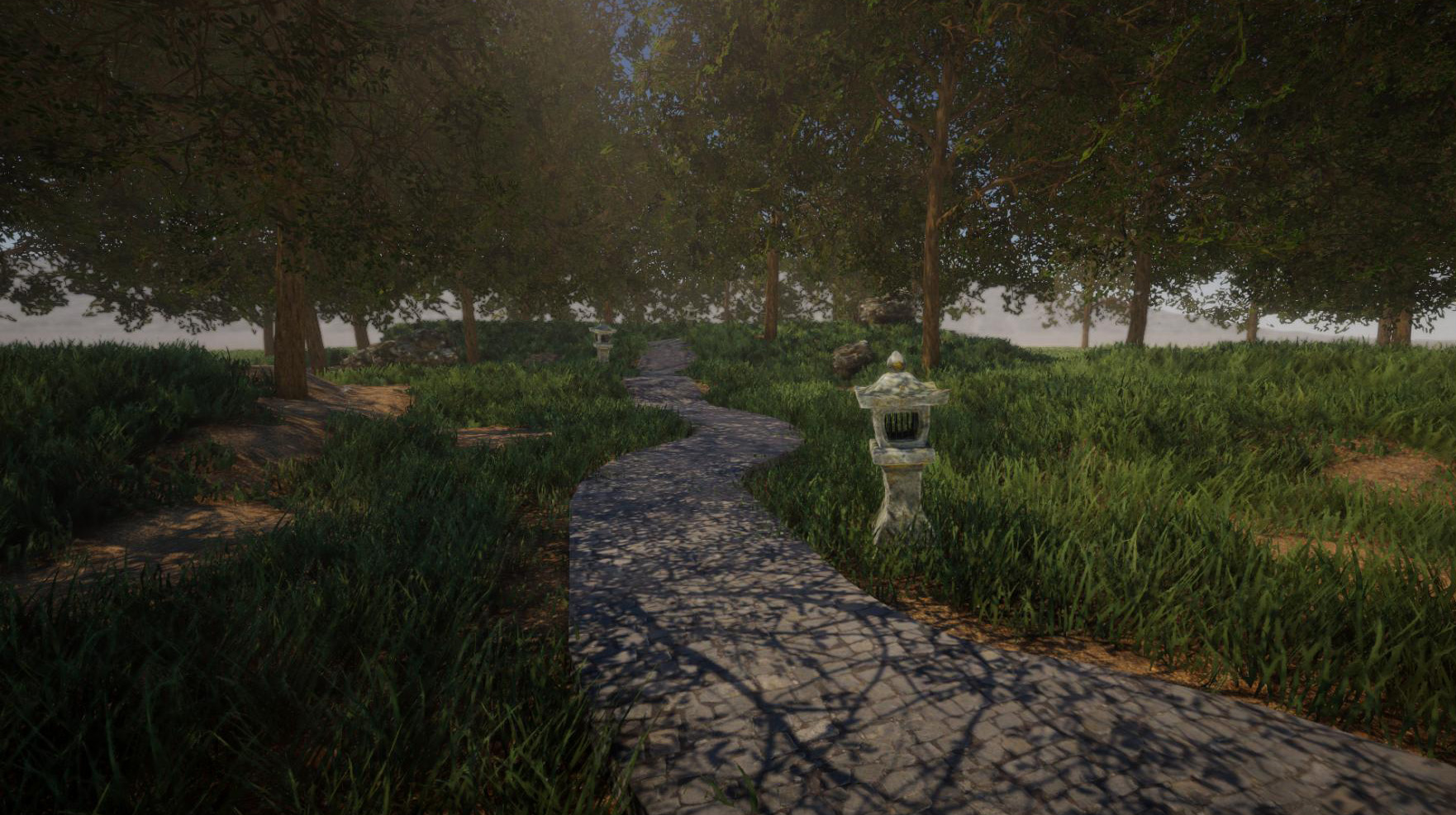
    demo1.jpg


    In order to get the demo, just rightclick on Rising World in your Steam library -> Properties -> Betas -> select "New Version Preview" and wait until the download is ready. When launching the game, a dialog shows up: Select "New Version" to launch the new version of Rising World.


    NOTE: Always launch the game from your library, do not launch it right from the "Downloads" section because this always launches the default Java version.


    If you have the Standalone, you'll find a new launcher in your download section. Make sure to download it into a separate folder (do not put it into your existing Rising World folder) :!:


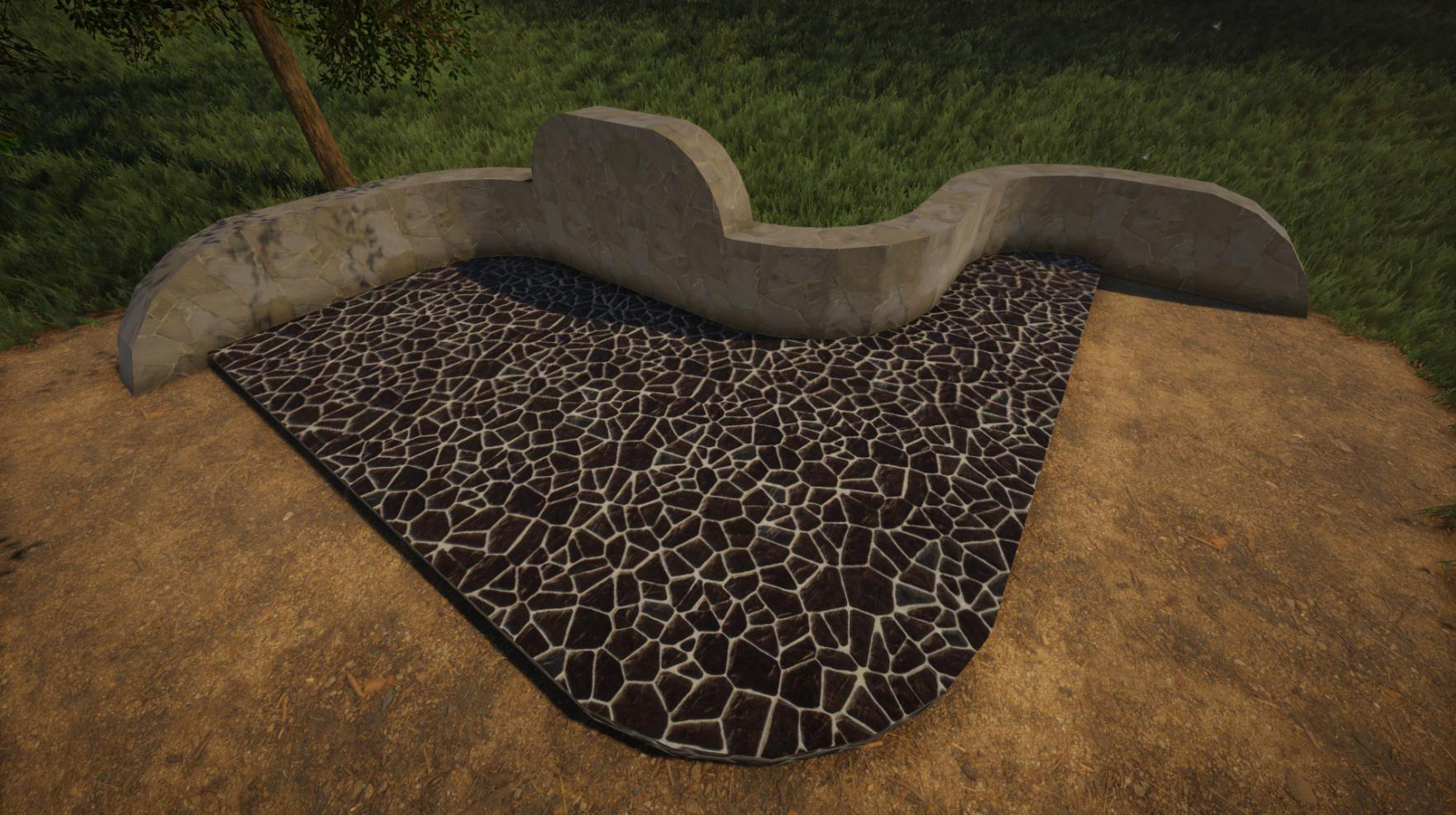
    demo2.jpg


    However, there are a few important things you need to know about this version:


    Features and Content

    This version is quite limited and it lacks several features and any serious gameplay content. It rather serves as "tech demo" and is meant to give you a very first impression of the new version. We've also disabled some features in this version - for instance, only a small part of the world is generated and many plants and forests are missing.


    Here you find a rough overview of some of the features of the demo version: https://forum.rising-world.net/thread/11064/


    Performance

    We're using Unity new scriptable render pipeline, more specifically the HDRP which has a rather high base overhead - much higher compared to the Java version. In return we're able to achieve much better scalability, especially if the world consists of lot of buildings. This means it's extremely important that your machine meets at least the minimum requirements of the game (which are stated on the store page). However, if you experience performance issues, please let us know! There is definitely room for improvements


    View distance

    One important note about the view distance: Basically the new version is able to achieve much larger view distances compared to the Java version. On the one hand, chunks are now twice the size. On the other hand, values are treated a bit different in the new version; while a view distance of 20 chunks, for example, referred to 20x20 chunks around the player in the Java version, this value now refers to 20 chunks in each direction (effectively being 40x40 chunks now). In other words: A view distance of 50 in the new version would be equivalent of a view distance of 200 in the Java version


    Weather

    There are a few weather effects available which can be set via console command. Just like in the Java version, type "weather <name>" into console (if you put a "1" at the end, the weather changes instantly). In addition to the weather effects of the Java version, there is now snowfall available (which covers the world in snow over time). The names for these effects are "snow" and "heavysnow"


    Linux

    There are unfortunately a few bugs in Unity which are out of our control. They were reported to Unity. For instance, it's currently not possible to change the resolution on Linux without restarting the game (Mac and Windows are not affected by this issue). There are a few other issues as well, but if you find any bugs, please don't hesitate to contact us


    Multiplayer

    Unfortunately the multiplayer part isn't fully ready yet, but we already wrote the code with multiplayer in mind - so it's basically almost ready. It's our intention to release a working multiplayer shortly after the upcoming building update


    Plugin API

    Unfortunately the plugin API isn't ready either - this means it doesn't work in the demo yet. There is still some work to do, but we've set up a new section in our forum which contains more information about the new API: https://forum.rising-world.net/thread/11062/


    Future

    Obviously the demo took a lot longer until it was ready - much longer than expected. We're so sorry about that, but we also appreciate your patience! Good news is that many core mechanics are now implemeted or almost ready (and this was the most time consuming part), so we should soon be able to get into a state where content can be added more quickly


    Feedback

    We really hope you enjoy the demo! Even though it's still very limited and cannot be considered a full game, it should already give you a good idea of what Rising World will look like in the near future. We are looking forward to your feedback, please let us know what you think about the new version! As mentioned above, we've prepared a survey for that purpose: https://forms.gle/7Tf95343NQtgSUou8


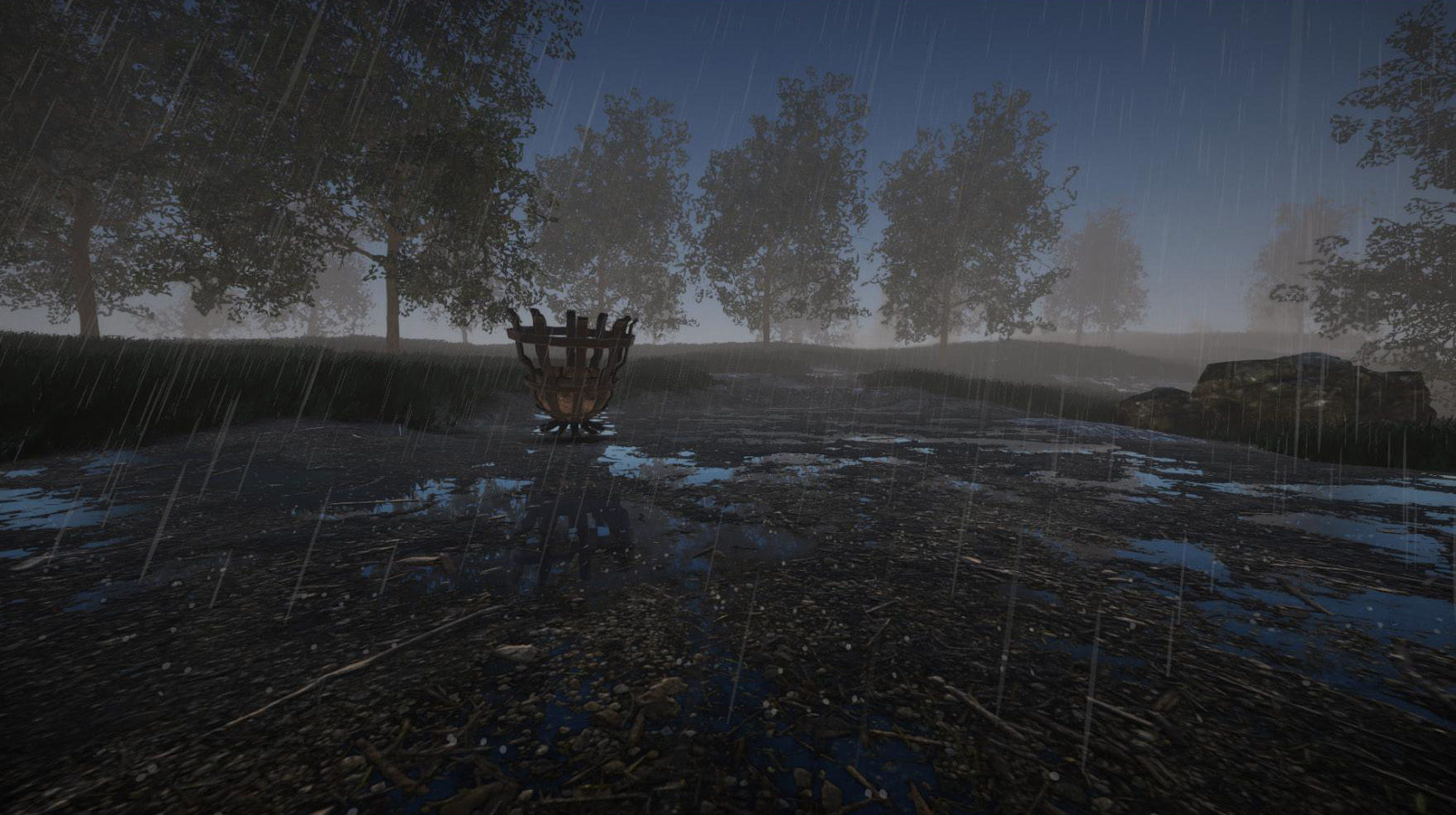
    demo3.jpg

    Liebe Community!


    Wir freuen uns euch mitteilen zu können, dass die erste spielbare Demo der neuen Version endlich verfügbar ist! Sie ist als separater Beta-Branch auf Steam verfügbar - wenn sie ausgewählt wird, bleibt die aktuelle Java Version bestehen und die neue Version wird in einen separaten Unterordner heruntergeladen. Diese erste Demo wird übrigens als Grundlage für künftige Updates dienen, und sobald sie etwas umfangreicher geworden ist, wird sie die Java Version ersetzen (aber natürlich wird die Java Version trotzdem jederzeit spielbar bleiben).


    Wir haben übrigens auch eine neue Umfrage zur Demo vorbereitet und würden uns über euer Feedback freuen: https://forms.gle/tNCK3228Zft31K1R6


    demo1.jpg


    Die Demo könnt ihr wie folgt herunterladen: Geht in eurer Steam-Bibliothek mit einem Rechtsklick auf Rising World -> Eigenschaften -> Betas -> wählt dort "New Version Preview" und wartet, bis der Download abgeschlossen ist. Anschließend wird beim Spielstart ein Fenster erscheinen, in welchem ihr "New Version" auswählen müsst, um die neue Version zu starten.


    HINWEIS: Startet das Spiel immer über eure Bibliothek, startet es nicht direkt aus der "Download" Sektion heraus, da dies immer die Standard-Java-Version startet.


    Falls ihr die Standalone verwendet, findet ihr einen neuen Launcher in eurer Downloadsektion. Bitte ladet diesen unbedingt in ein separates Verzeichnis herunter (platziert ihn nicht in euren bestehenden Rising World Ordner) :!:


    demo2.jpg


    Es gibt allerdings ein paar wichtige Dinge, die ihr über diese Version wissen müsst:


    Features und Content

    Diese Version ist recht eingeschränkt und viele Features sowie richtiger Gameplay-Content fehlen noch. Die Demo dient eher als "Tech-Demo" und soll einen allerersten Eindruck der neuen Version verschaffen. Auch haben wir einige Features in dieser Version deaktiviert - bspw. wird nur ein kleiner Teil der Welt generiert und es fehlen viele Arten von Vegetation und Wälder.


    Hier findet ihr einen groben Überblick über einige Features der Demo-Version: https://forum.rising-world.net/thread/11063/


    Performance

    Wir verwenden Unitys neue "Scriptable Render Pipeline", genau genommen die HDRP welche einen relativ hohen "Grund-Overhead" mit sich bringt - deutlich höher als der der Java Version. Im Gegenzug können wir aber eine deutlich bessere Skalierbarkeit erreichen, vor allem in Welten, die aus sehr vielen Gebäuden bestehen. Das heißt aber auch, dass es äußerst wichtig ist, dass euer System zumindest die Mindestanforderungen des Spiels erfüllt (welche auf der Storepage zu finden sind).

    Wenn ihr allerdings trotzdem Performanceprobleme habt, lasst es uns bitte wissen! Es gibt definitiv noch Spielraum für Optimierungen


    Sichtweite

    Eine wichtige Sache über die Sichtweite: Grundsätzlich ist die neue Version in der Lage, deutlich höhere Sichtweiten zu erzielen im Vergleich zur Java Version. Einerseits sind Chunks nun doppelt so groß, andererseits werden die Werte aber auch anders gehandhabt: Während zB eine Sichtweite von "20 Chunks" in der Java Version noch einen Bereich von 20x20 Chunks um den Spieler herum bedeutete, gilt dieser Wert in der neuen Version nun in jede Richtung (d.h. effektiv ist dann ein Bereich von 40x40 Chunks um den Spieler herum geladen). Mit anderen Worten: Eine Sichtweite von 50 in der neuen Version ist äquivalent zu einer Sichtweite von 200 in der Java Version


    Wetter

    Es gibt auch schon ein paar Wettereffekte, welche ebenfalls via Konsole verfügbar sind. Wie in der Java Version kann der Befehl "weather <name>" eingegeben werden (optional mit einer "1" am Ende, um das Wetter sofort zu ändern). Zusätzlich zu den bekannten Wettereffekten aus der Java Version gibt es nun auch Schneefall (welcher die Welt langsam mit Schnee bedeckt). Die Namen dieser Wettereffekte sind "snow" und "heavysnow"


    Linux

    Leider gibt es in Unity ein paar Bugs auf die wir keinen Einfluss nehmen können. Diese Bugs wurden bereits an Unity gemeldet. Bspw. ist es momentan nicht möglich, die Auflösung des Spiels zu ändern ohne das Spiel neuzustarten (unter Mac und Windows treten diese Probleme nicht auf). Es gibt auch noch ein paar andere Probleme, aber bitte zögert nicht, uns alle Bugs zu melden, die ihr findet


    Multiplayer

    Leider ist der Multiplayer noch nicht fertig, aber sämtlicher Code wurde von uns mit "Multiplayer" im Hinterkopf implementiert - d.h. prinzipiell ist der Multiplayer eigentlich so gut wie fertig. Es ist unsere Absicht, ihn kurz nach dem Bau-Update verfügbar zu machen


    Plugin API

    Leider ist die Plugin API auch noch nicht fertig - d.h. sie funktioniert in der Demo noch nicht. Es ist noch ein wenig Arbeit nötig, aber wir haben schonmal eine neue Sektion im Forum vorbereitet, in welcher sich mehr Infos zur API finden lassen: https://forum.rising-world.net/thread/11062/


    Zukunft

    Es ist unübersehbar, dass die Demo deutlich länger benötigt hat bis sie nun verfügbar wurde - viel länger als wir erwartet hatten. Das tut uns furchtbar Leid, aber gleichzeitig möchten wir uns bei euch für eure Geduld bedanken! Die gute Nachricht ist aber, dass viele Kernmechaniken - welche den zeitaufwändigsten Teil ausmachen - nun implementiert oder fast fertig sind, sodass wir bald in einen Zustand kommen dürften, in welchem neuer Content schneller hinzugefügt werden kann


    Feedback

    Wir hoffen wirklich, dass euch die Demo gefällt! Obwohl sie noch sehr eingeschränkt ist und nicht als vollwertiges Spiel betrachtet werden kann, sollte sie dennoch einen guten Eindruck davon geben, wie das künftige Rising World aussehen wird. Wir freuen uns auf euer Feedback, bitte lasst uns wissen, was ihr von der neuen Version haltet! Wie oben erwähnt, haben wir zu dem Zweck eine Umfrage eingerichtet: https://forms.gle/tNCK3228Zft31K1R6


    demo3.jpg

    Wie lange wird es von der Demo bis zur fertigen, für uns spielbaren Version schätzungsweise dauern ? Ist es geplant, das Spiel dann gleich als Betaversion anzubieten?

    Wann die neue Version endgültig "fertig" ist kann ich leider nicht sagen. Wann die neue Version "spielbar" ist muss hingegen jeder Spieler für sich entscheiden: Für manche ist vielleicht die Version schon mit oder kurz nach dem Bau-Update "spielbar", für andere wiederum galt auch die Java Version nie als "spielbar" ;)


    In die Beta übergehen werden wir vmtl. ca. dann, wenn die neue Version die Features der alten Version hat. Zu diesem Zeitpunkt wird die neue Version automatisch vollwertiger sein und mehr Features haben, da wir manche Features (wie zB das Stromsystem) deutlich nach vorne ziehen wollen. Aber auch hier kann ich leider keine konkreten Angaben machen... hier kommt es auch ein wenig darauf an, welche Features unbedingt noch in der Early-Access Phase umgesetzt werden müssen, und welche Features man auf die Zeit nach der 1.0 legen kann.


    Uff ich freue mich schon sehr, nur das blöde ist ich hab mein pc ausgebaut um es zu reinigen. Jetzt muss ich erstmal auf die wärmeleitpaste warten, die schon eine verspätung hat. Und die erst mittwoch bis freitag ankommt, hoffe die kommt mittwoch:dizzy:

    Oha, naja dann drücke ich dir die Daumen dass die neue Wärmeleitpaste noch rechtzeitig kommt! :monocle:

    The game should already catch most exceptions and bring up an error dialog in this case. The error dialog provides a way to send an error report to us: This attaches the current config.properties file as well as the latest log and a few hardware information (e.g. driver information). The report dialog shows you all information it will send to us - it does not contain any sensible information.

    Optionally you can also add some additional information about the crash.


    However, if a native error occurs or an internal engine crash, the game cannot catch it - and will crash. In this case we would like to ask you to create a new topic about the crash here (or alternatively you can send a mail to support@jiw-games.net). It's extremely helpful if you attach the latest log file.


    We're using the standard Unity log, because it's the only way to get internal outputs of the engine (e.g. errors thrown by the graphics API or a native library). The latest log is always called Player.log and on Windows it can be found in your user directory under /AppData/LocalLow/JIW-Games/Rising World. An easy way to get there is to press Windows key + R and to enter %APPDATA%/../LocalLow/JIW-Games/Rising World.


    On Mac, the log can be found at /Users/<Username>/Library/Logs/JIW-Games/Rising World


    On Linux, the log is stored at /home/<Username>/.config/unity3d/JIW-Games/Rising World