Hallo Leute!
Zuallererst möchten wir euch einen guten Rutsch und einen erfolgreichen und gesunden Start ins neue Jahr wünschen! 
Es ist ein neues Update verfügbar, welches mehrere neue Gegenstände und auch ein paar andere Neuerungen einführt.
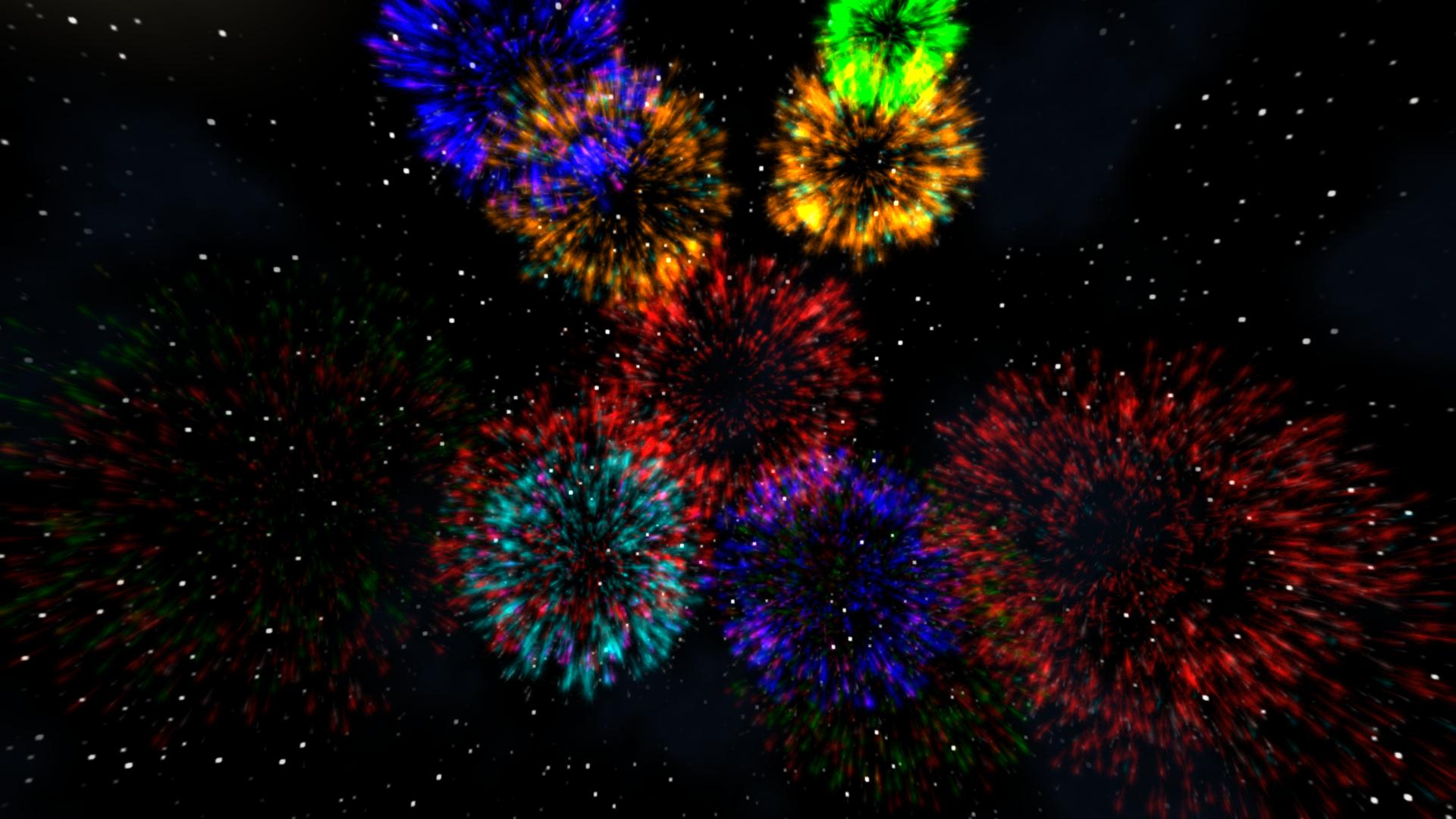
Gerade noch rechtzeitig steht nun eine Feuerwerksrakete zur Verfügung 
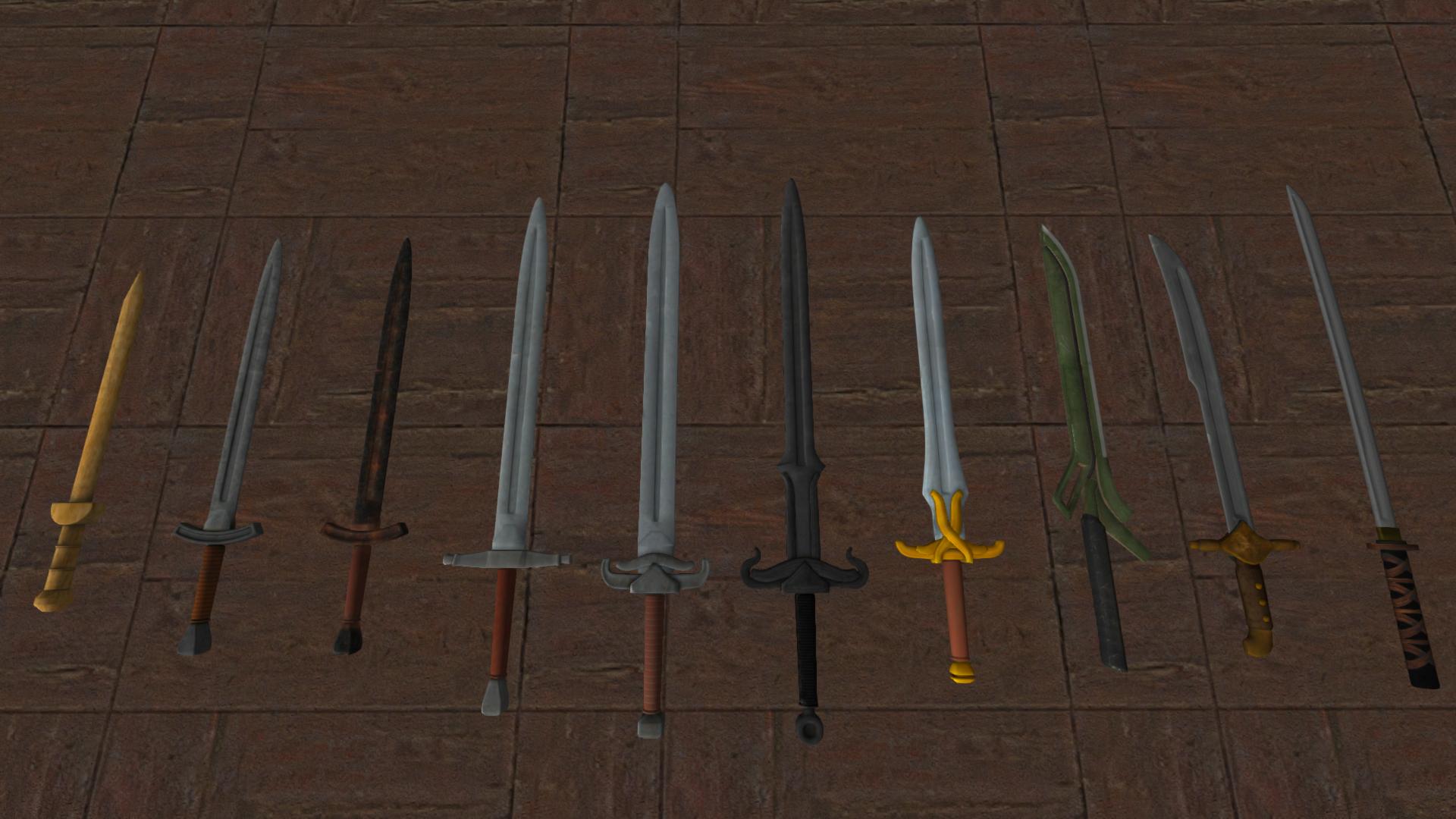
Wir haben außerdem neue Kleidungsstücke eingeführt, darunter eine Samurai-Rüstung, neue Frisuren und auch eine ganze Reihe neuer Waffen - die meisten davon können nicht hergestellt werden, sondern lediglich in Dungeons gefunden werden. Wir wir von Dungeons sprechen: Generell haben wir den Lootspawn in Dungeons angepasst. Es braucht sicherlich noch Feinschliff, aber nun sollte man deutlich wertvollere Dinge finden können.
Dieses Update führt ebenfalls "Stamina" bzw. "Ausdauer" ein, sodass es nicht mehr möglich ist, unbegrenzt lange zu sprinten. Dies trifft nur auf den Survivalmodus zu, obwohl es auch eine Option gibt, das auszuschalten.
Auch die API hat ein paar Änderungen erhalten, in Kürze folgt dazu der Changelog!
Wir haben auch einige Bugfixes und kleinere Änderungen vorgenommen, aber wir arbeiten immernoch an weiteren Optimierungen, insbesondere wollen wir den allgemeinen Memoryverbrauch reduzieren. Dazu wird es im Januar ein Update geben.
Wir können es auch kaum abwarten die anderen Dinge zu veröffentlichen, welche bereits in ihren Startlöchern stecken, z.B. Reittiere und andere Transportmöglichkeiten, wie Züge und Boote.
Welches dieser Features würdet ihr eigentlich bevorzugen und zuerst im Spiel sehen wollen? 
_________________________________________________
Changelog:
- [Neu] Neuer Gegenstand: Feuerwerksrakete
- [Neu] Samurai Rüstung + Helm hinzugefügt
- [Neu] Pickelhaube hinzugefügt
- [Neu] Rotrock Hut hinzugefügt
- [Neu] Drei neue Haarschnitte für weibliche und ein neuer Haarschnitt für männliche Spielerfigur hinzugefügt
- [Neu] Acht neue Schwerter hinzugefügt, under anderem ein Katana und einen Säbel
- [Neu] Drei neue Streitäxte hinzugefügt
- [Neu] Drei neue Streitkolben hinzugefügt
- [Neu] Zwei neue Kriegshammer hinzugefügt
- [Neu] Neues Objekt: Schneemann
- [Neu] Spieler hat nun Ausdauer, welche beim Sprinten verbraucht wird
- [Neu] Einstellung zum Deaktivieren von Ausdauer hinzugefügt (nur Singleplayer)
- [Geändert] Loot in Dungeons aktualisiert
- [Geändert] Performance verbessert in Gebieten mit vielen Bauwerken
- [Geändert] Singleplayer Einstellungen (versch.) gelten nun auch wenn ein LAN Spiel gehosted wird
- [Geändert] Weltnamen zum Bestätigungsdialog hinzugefügt, wenn eine Welt gelöscht werden soll
- [Geändert] Primitiver Schmelzofen kann nun auch an der Werkbank hergestellt werden
- [Geändert] Rezept für Munition des Repetiergewehrs geändert
- [Geändert] Modell für Holz (Gegenstand) geändert
- [Geändert] Wenn Tiere deaktiviert werden, betrifft dies nun auch die neuen Tiervariationen
- [Behoben] Armbrust kann nicht mehr auf der ganzen Welt gehört werden
- [Behoben] Spieler macht beim Spawn keinen großen "Sprung" mehr
- [Behoben] Spieler können anderen Spielern keinen Schaden mehr zufügen wenn PVP ausgeschaltet ist
- [Behoben] Befehl setp/setl beim Benutzen von Werten größer als 180 behoben
Hotfix 01.01.2018:
- [Geändert] Spieler Distanz (Scoreboard) kann nun in Servereinstellungen deaktiviert werden
- [Behoben] Sekundäraktion von Sichel/Sense korrigiert (Gras schneiden)
- [Behoben] Probleme mit Plugin API behoben












 JK, but birds & co are definitely on our todo-list