


Really, really nice build! Very creative, and great use of lighting. 
Posts by MommaT
-
-
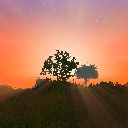
And I'm also playing RW and writing a little in-character journal of this particular game, documenting my faceless character's life as a cave dweller. It's been fun and, well, it'll be an interesting kind of read later, when more content comes in and I go and look back at what was already possible even now.
I hope you will share your character's journal at some point. I bet that will be a fun read!

-

you can visit Foxbox
Thanks! I will.

-
The balloon is amazing! HOW??? Also how were the animals on the carousel made? Is there a giraffe texture??

-
Having said all that, I appreciate your comments, and as Deirdre points out, there are already others out there who may not think as much about structural integrity as we do.
-
Love this thread. I like to approach building more like a builder too. (Having never played Minecraft—and boy you can sure tell the difference!)
I like your stick-built building. The only thing I see wrong is balancing your 10 x10 post on top of a 4x4, and a door header!!! LOL. But hey, we can do that here. Pixels are weightless (so far!).
I like the "real world" physics of Mechanical Engineers, where if it isn't properly supported things fall down. (I can't play ME since I'm on a Mac, but I've watched it on YT.) That would add a challenge to RW!
-
Yeah. It's not exactly intuitive! We eventually figure it out, which I 'guess' is half the fun?

-

That's beautiful! Is that snow-covered grass you used for the water at the top of the fountain?
Thanks. No that's three different .png images of fountain water, placed on small pieces of glass set on angles.
-
-
Well. I tried removing the line with the Chair reference from the db of my PRACTICE world. The game then doesn't even see that world in the open world menu—i guess I broke the db(copy).
EDIT: Yes, I just opened in a text editor and deleted the line from the practice world with the line like this:
;;G]Volpi Matilde Chair.objVolpi Matilde Chair.jpg-6280.224 62.77908 -2614.58457.642742E-15 8.742278E-8 8.742278E-8 1.0?`bM“Ò©¸
}So I guess you'd have to be a programmer to know how to edit the db. clearly I should stay away!
However, I just removed the chair's files from the ObjectLoader plugin asset file, and my world (both of them) open fine and the chair is gone. Whew!
If I insert any more objects it will just be in my practice world. Lesson learned!
Dagoline—the couch and chair look great, though!
-

the object position is saved in a file (probably in the plugin directory, probably a .db file) if you open it you can manually delete the entries and the object will be gone
Scary. My world db has these lines:
;;G]Volpi Matilde Chair.objVolpi Matilde Chair.jpg-6280.224 62.77908 -2614.58457.642742E-15 8.742278E-8 8.742278E-8 1.0?`bM“Ò©¸
}
;;IEVolpi Matilde Chair.objVolpi Matilde Chair.jpg-6261.3296 70.07163 -2566.52050.0 0.38268346 0.0 0.9238795?`bM“Ò©¸I guess I could make a back up copy of the world db then remove the lines with the Chair and try that file as the world... Scares the crap out of me though.

What if I just remove the plugin and the items?
Either way I guess I should back up my World db. -
Yes. I am a fool!
I do hope Kryssi79 can help! Otherwise I guess I have a chair in the garden.

-
Dagoline,
You have been so helpful. I did try to scale the chair as you suggested to .002. The chair now places, but the center point is now way off. Since I didn't create the object I don't know how to fix that. I also see that the jpg I chose for the texture covers the whole chair. If there is more than one texture to be applied I don't know how I would do it. I have put a video here that shows how this is very odd when trying to place the object.
And I have linked to my object files so that you can download them if you want.
But the bigger problem now is HOW DO I DELETE the chair from my world???? I fist placed it in my practice world, but then I decided to try in my real build. Mistake! How can I remove the chair???
I should probably leave this fancy object placing to the big boys.
link to a video of chair placement
Chair FilesCan you help me remove the chair?
Also this is what is in the .mtl file: (I wonder what it does?)
# 3ds Max Wavefront OBJ Exporter v0.97b - (c)2007 guruware
# File Created: 22.09.2014 10:18:17newmtl wire_153185228
Ns 32
d 1
Tr 0
Tf 1 1 1
illum 2
Ka 0.6000 0.7255 0.8941
Kd 0.6000 0.7255 0.8941
Ks 0.3500 0.3500 0.3500newmtl wire_223086086
Ns 32
d 1
Tr 0
Tf 1 1 1
illum 2
Ka 0.8745 0.3373 0.3373
Kd 0.8745 0.3373 0.3373
Ks 0.3500 0.3500 0.3500 -

your .model file is correct, this objects are away to big - you need to scale down 0.001 - 0.002,
(couch: verts:88.000 faces:88.000 Tris: 177.000 - thats as much or more than your whole Wollaton Hall )
Ah. So much for complex furniture, huh? Oh well. Maybe someday. The flat square couch is just not very appropriate to my build. Too bad. I guess I can try building them in game. (Laughs)
-
I know this isn't a building but I want to show it off anyway. I am building Wollaton Hall (in Nottingham, UK) and it's a huge project, for me. Bored with building, so tackled this decorative pond and fountain. I hope we get water lilies some day! (and moving water of course)
-
I tried Minotorius's suggestion and wrote the .model doc for my chair object.
Hopefully I did that right:
model:Volpi Matilde Chair.obj
texture:Volpi Matilde Chair.jpg
rx:0
scale:1.00My object has that name and I replace the .mtl texture file with my jpg. It does show up in the dialogbox list! But when I try to place the object I get this message:
Nu kannest du deine 3D objekte laden.So, I guess it doesn't like the object. The chair file is 5mb. Which is large, I guess, but I don't know what else may be wrong. Oh well, I will try again some later day.
Today however the Commode and Buch I placed did not stay in the game after I closed and reopened the game. This game world is set up in Survival, but I change it to Creative to build. I guess the placed object just won't work in a survival world? However they do stay in another game (set up in creative). I can't change the game permanently to creative if I first set it up in survival.
-
Oh my!!! That is fantastic. Love it. Let's see Hobbiton and Mordor next!
-

@MommaT Does the plugin work? do you need help ?
Hi Kryssi!
Yes. I did get the plugin to work. Thank you! I cannot imagine how hard it is to program this sort of thing. I have no knowledge of programming.
I found the placement of the object to be a bit weird. But I did figure it out. The only thing I could not do was to rotate the objects. Is this not possible?
The object you provided (commode and buch) both were still in place after I quit the game and restarted. So, good job!As a test, I tried to put a downloaded chair.obj in the assets folder but this file doe not show up in the list in the dialogbox. So, it must be that only .model and .dds files will work. I have never tried Blender, but that may be in my future.
I am sure everyone is right that very complex object would break the game.
 Too bad. I would love some very complex antique furniture in my game!
Good work, and THANK YOU!
-
Thanks. I am very interested in trying this. I have downloaded the 3.1 version and have just placed everything in the .jar file into the Plugins folder.
I don't know it that's right. Also I don't know what the chat command is to type to get the plugin to open.
I have found some very nice furniture objects for free download on cgtrader.com. I can get .obj files and they come with .obj and .mtl (materials?)
But I see in the assets with the plugin the files are .model and .dds. Is there a converter for these file types? Curious. I know nothing really about 3d. I can open the .obj in Photoshop and it looks nice but without the skins. I'll keep looking around to learn more.
-
Gibt es diesen Thread auf dem englischen Forum? Sorry, ich lese kein deutsch, also verwende ich Google Translate. ICH HABE VIEL WOLLEN dieses Plugin! Ich spiele im Einzelspieler. Ich habe Fragen!
Funktioniert das Plugin auf einem Singleplayer? Gibt es Anweisungen für die Installation?
Welches Programm verwenden Sie, um die Objekte zu erstellen? (Freie Open Source?) Das wäre noch eine Sache zu lernen, aber ich würde mich freuen, es zu versuchen.
Gibt es da oder gibt es hier einen Platz in den Foren, um spielerische Gegenstände auszutauschen? Wie sind Gegenstände in das Spiel geladen ... oder macht das Plugin das für dich? (Ich nehme an, das ist der Zweck davon.)
Könnte diese Art von Plugin für Benutzer gemacht Objekte immer in der Vanille-Version des Spiels enthalten sein?
Vielen Dank!Does this thread exist on the English forum? Sorry I don't read German so I am using Google Translate. I SO MUCH WANT this plugin! I play in singleplayer. I have questions!
Does the plugin work on a singleplayer install? Are there instructions for installation?
What program are you using to create the objects? (free open source?) That would be one more thing to learn but I would be excited to try.
Are there or could there be a place here on the forums to exchange player-made objects? How are objects load into the game... or does the plugin do that for you? (I assume that is the purpose of it.)
Might this type of plugin for user made objects ever be included in the vanilla version of the game?

