Update: The standalone should now be available! Sorry for the delay!
-
Servus leute 
Hab hier mal das bestehende Plugin umgeschrieben und es zeigt nun Höhe X und Z Achse an. Siehe Bild 
So you take my code and remove the best part of it to show numbers that most users wont know what they mean, can i ask what the point of that is im not getting it ?
i guess if your happy with numbers thats upto you 
-
Modular building seems to not work when I'm below a Z-coordinate of 313. Really annoying...anyone else have this problem? I'm running build 0.6.4.1.
Edit: OK a little more playing around and it looks like it happens at certain points in each chunk.
Also to clarify, the modular building I'm speaking of is supposed to allow a board to snap to another board perfectly, fixing position and rotation...hope I'm using the right words lol
its a known problem it will be improved over time ;-D
-
Then you have but eyes of an owl
its in the center bottom of the screen its small so it wont take over your screen oO
-
Good question. I'm not 100% positive but usually in games like this there are console commands to set world spawn? I could be incorrect.
you can set your spawn by using the command console type setspawn this can only be done if you have the Admin rights, as it sets the default of all new players to spawn in this area.
-
Hey guys we have been scripting for our server at rising citys
So heres one of our scripts you can have
its a Compass / Kompass
To turn on or off the compass type /compass the default is on

-
Ok so i Downloaded some Blueprints from here to make some items for the House.
I didn't have the Blueprints folder in the Rising World Directory so I just Created one.
I put the Blueprints in there but they Don't show up ingame. ???
When i go to the Journal, there are no Blueprints there ??
Anyone have this issue ? All help appreciated
Display More
Are you on a server if so maybe the server has blueprints set to false
-
Sending log. I have Java Ver.8 Update 66 (build 1.8.0._66-b18) 64bit.
The problem in your case is caused by the AMD driver: The driver has a current AMD OpenGL bug that causes a crash. As a workaround, you can try the following: In the game directory "config.properties" file open and Set the value of your graphic_instancing change it to false. Then save the file, and start the game again.
-
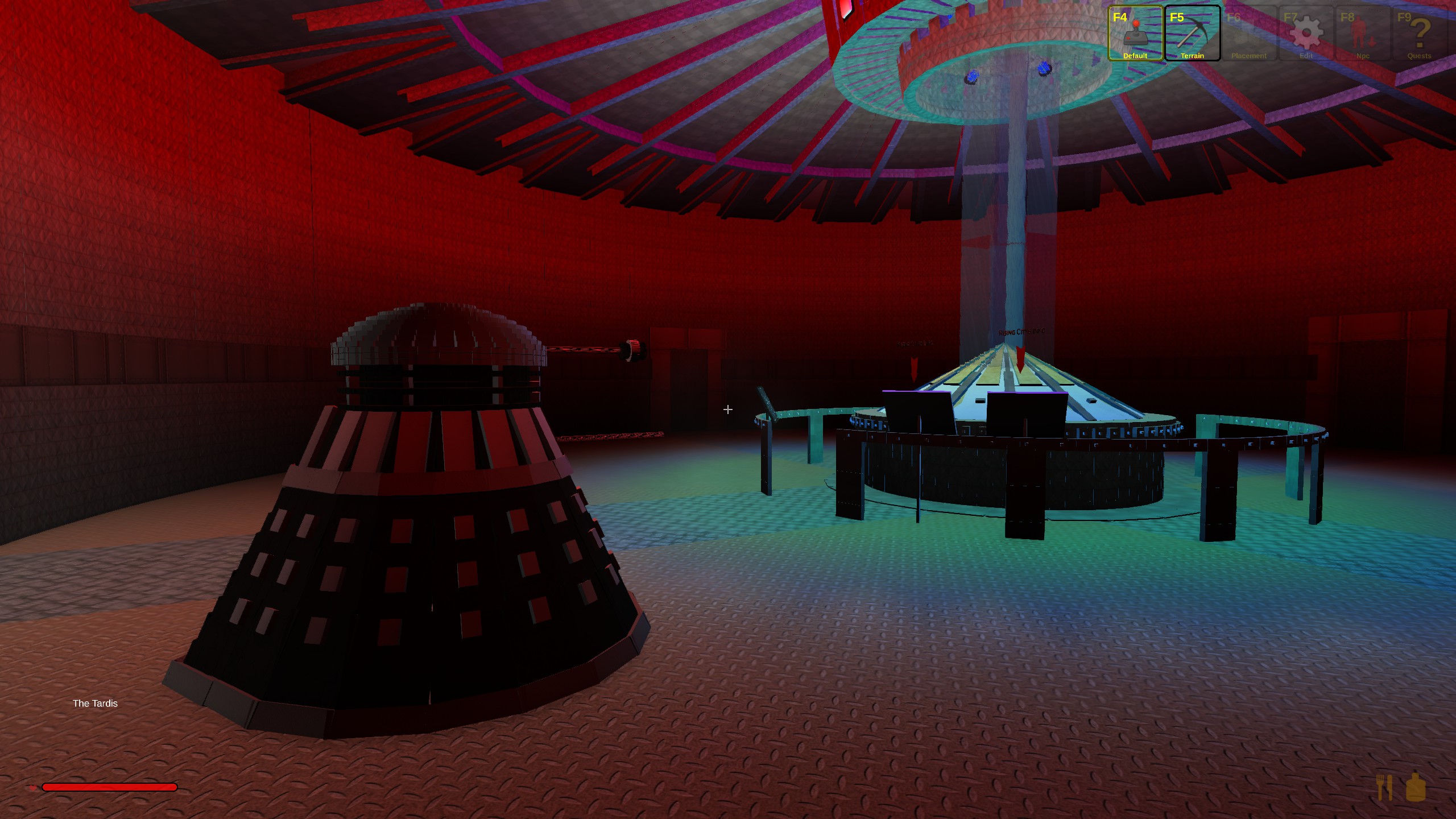
Heres my dalek and the inside of my tardis

-
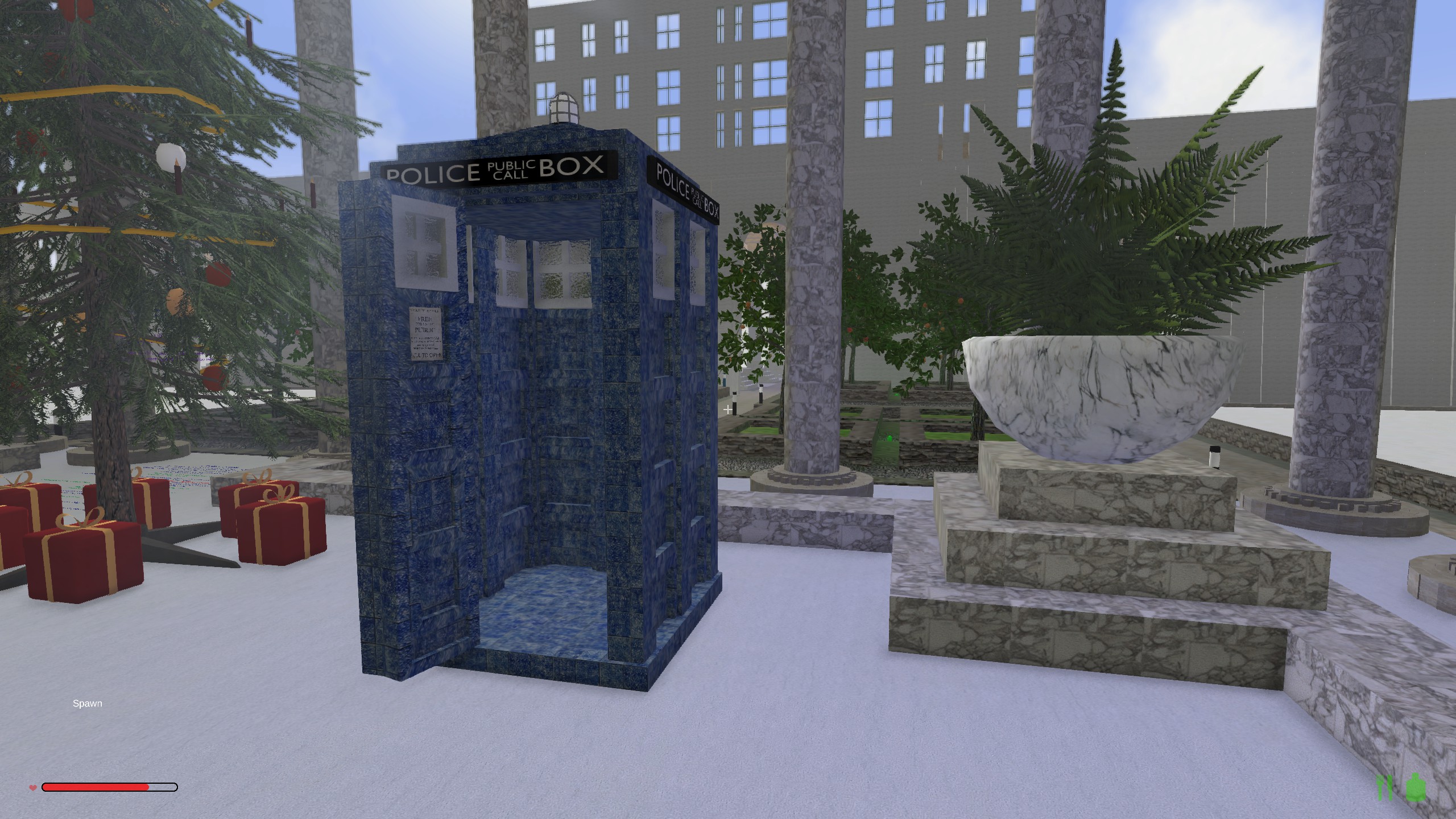
Hey guys just wanted to let you know about our Tardis we have built a real working Tardis that when you go inside its bigger on the inside than it is on the out side
anyone and everyone is welcome to come and try it out, the server ip is 119.224.64.54:4265

-
i just wanted to back red up here as i have been running a server for some time and have had lots of users come and go, what i have found out is most users on cable have disconnection problems its very common with cable.
one of our users who was kicked every 5 to 10min in his router set the port forwarding of the ports of the server that means the serverport and 1 port down and 4 ports up to be forwarded to the local ip of his pc to port range 0 - 65000, or what ever port range you want this seems to have helped him heaps but not a complete fix,
he can now stay ingame for hours but if he push's the windows home key to go out of the game, as soon as he goes to go back in the game it disconnects
-
this server 203.184.52.110:5255 ? Yep same ban message everything, including my flying finger of fate....
i gave you this address 119.224.64.54:4265 have a look ^^^^ thats the other address it is stall used with the old server we have 3 servers running oO
-
There used to be a server manager program that was used to run a server, but I can't seem to find it anywhere. Can someone please help?
Its called the Rcon tool heres the download link http://download.rising-world.net/tools/rcon.zip
-
if you fall you can hit the f2 key to pop you back to the top, you just need to be fast and you may need to hit it more than once,
-
No one is banned on this server not even you so maybe your still going to the other old one oO
-
I recently got Rising World and I am really enjoying it so far, I play all the time with my sister and we both love the game. But i found that it lacks a certain difficulty to it. The game turns into just gathering and building once you get settled in and all the while becomes less interesting. I understand the game is still deep in alpha and given that there is an armor slot but no armor, they are most likely looking into a combat update sometime down the line. I just think it would be nice to have to have some kind of antagonists in the game other than bears and tigers which can easily be avoided just by staying out of the forest/Savannah. Another thing is more abundant and longer, larger cave systems, and maybe dangerous dungeons to accompany them. Basically a combat/adventure update to please those who want to do more than just build.
This is indeed a plan they have been talking about, but if and when it is added we cant say ;-D
-
hallo leute ich sehe bei vielen das sie in ihrer welt wasser haben wie macht ihr das und meine zweite frage ich kann man wenn man sich hier aus dem Forum blueprints runterlädt die auch auf den Server packen das sie das auf der serverwelt verfügbar sind?
das Wasser ist Glas Mann im Sägewerk
-
how could i forget lol this is not the same server its a new one after the biome update we decided to open up a new one 
-
Hi Everyone just wanted to let users who are looking for a new server to play on about our new server and what we offer
Things we have are
we have a auto level up system this works on the amount of online time, the more online time on our server the higher your level
with each level up you get more powers right upto been in game admin level
also we have protection this protection is unlike others we give you the owner of a area the rights to add your own friends to your own area
with the command /addplayertoarea Friend username username = your friends username
also we have protection area teleport only level 2 users can use this command
to teleport to your own area your type /areatp2 username or /areatp id id = the id of your area to see areas type /showarealist also to see whos added to your own area type /showareainfo
to remove a friend from your area you type /removeplayerfromarea username, only the area owners can add and remove users so your friends cannot remove you
we also have user to user teleport this command is /tp username or /tp id
the server ip is 119.224.64.54:4265

-
Hello,
Not sure if I should post this on client or server but I will start here since I am the one whom seems to have the problem the most... I play a lot on Freaks server, After a few minutes game play I start to lose FPS okay using ram etc fine... However after little more time, and when people start to log off and on, my frame rates really starts to drop, at times to 5 FPS. Any thoughts? I cannot reproduce this on other servers, as I cannot find any with over 5 people on at one time. On the same thought is there a way to capture the graph that comes up with F3?
Thanks!
Thats very strange indeed icon your welcome to come to my server we are often over 5 users on line at any one time 119.224.64.54:4265
-
I had this same exact issue, its a really easy fix thats outlined in one of the stickied threads. Simply find the .exe in your games' install directory. Right click and click properties, then go to compatiblity tab. Check the box for compatibility mode for windows 8. Then check off the Disable Display Scaling on High DPI Settings, that is the key to fixing your issue, I can guarantee it. I don't know what these guys are talking about with AMD and blah blah.
SteveT9 thats the same as what i have told him todo oO in his case it also sounds like he has 2 problems this one and the common AMD Driver crash, thanks for your input anyway ;-D