


Das ist auf jeden Fall geplant, mit einem der künftigen Updates wird also für Reittiere eine separate Lebensanzeige hinzukommen 
Posts by red51
-
-
Another hotfix is now available
Updating multiplayer servers is optional. As a temporary solution, chests are accessible through walls again as long as you're standing in front of it and as long as the wall thickness is less than 0.5 blocks. This is a workaround until we found a proper solution for hiding chests in self-made furniture.Hotfix 2018-10-01:
- [Change] Chests and signs are accessible again through thin walls (<0.5 blocks)
- [Bugfix] Fixed issues regarding picking up items (need feedback)
- [Bugfix] Fixed issues with modular placement (need feedback)
- [Bugfix] Fixed some wrong sitting positions
- [Bugfix] Fixed wrong collision of manhole covers
- [Bugfix] Fixed player getting stuck in crouched position near water
- [Bugfix] Fixed wrong rendering of plants if geometry instancing was disabled
- [Bugfix] Player no longer gets stuck while climbing on a ladder
- [Bugfix] Increased max range for terraforming tools (creative mode)
-
the f12 feature is what I use. and thank you for the other info
Make sure F12 is still set up as screenshot key in your Steam settings
 Unfortunately we have no influence on this feature, that's solely handled by Steam...
One thing I noticed with the indoors detection, is that quite often does not work for buildings with planks as part of the roof... which is most of my buildings as they are usually wooden.
Actually it depends on the thickness of your roof. You're only protected from the outside if the outer walls/roofs have at least a thickness of 0.2 blocks. There is no need to have solid walls and roofs, so placing two layers of planks with a small gap between them should also do the trick

undoblueprint seems to work, but when you close the game and relog a part or everything came back-
Apparently this already happened prior to this update, but it looks like this happens more frequently now. We will check out what's going on there

Anyone else having Polar Bears spawn outside of their natural biomes with this update?
That's strange
 Is there maybe a snow biome in close proximity?
 -
Ein weiterer Hotfix ist nun verfügbar. Server müssen nicht zwangsläufig geupdated werden
Vorläufig sind Kisten nun wieder durch Wände hindurch verwendbar, allerdings nur, solange man sich vor der Kiste befindet und die Wanddicke kleiner als 0.5 Blöcke ist. Das wird zumindest solange aktiv bleiben, bis wir ggf. eine Alternative für das Verstecken von Kisten in selbstgebauten Möbeln gefunden haben.Hotfix 01.10.2018:
- [Geändert] Auf Kisten und Schilder kann nun wieder durch dünne Wände hindurch (<0.5 Blöcke) zugegriffen werden
- [Behoben] Probleme beim Aufheben von Items behoben (Feedback benötigt)
- [Behoben] Probleme mit dem Modularen Bauen behoben (Feedback benötigt)
- [Behoben] Einige falsche Sitzpositionen korrigiert
- [Behoben] Falsche Kollision von Kanalabdeckungen korrigiert
- [Behoben] Behoben, dass Spieler in Geduckt-Stellung verblieb, wenn er sich nahe einer Wasserquelle duckte
- [Behoben] Falsche Darstellung von Pflanzen bei deaktivertem Geometry Instancing korrigiert
- [Behoben] Spieler bleibt beim Leiter-Klettern nicht mehr hängen
-

Wenn ich Planken und Balken setzen will, sind die meistens nicht zu sehen, wenn ich die in der Hand habe. Ich muss das Spiel neustarten, um diese Dinge zu sehen. Bitte daher dies zu untersuchen.
Bitte prüfe einmal, ob das Problem mit dem neuesten Hotfix weiterhin besteht

nur das mit den würmern klappt net, aber so lange die fische beissen stört mich das net weiter
Wie @Dark Megatron schon sagte, die Würmer werden automatisch verwendet, allerdings besteht eine 50%ige Chance, dass der Köder beim Angeln trotzdem nicht "verbraucht" wird. Zukünftig wird sowas vmtl. mit entsprechenden Skills o.ä. verknüpft

gerade beim aufheben von Dingen muss man Geduld zeigen da einfach die Hand nicht auftauchen möchte
Das Problem sollte (hoffentlich) mit dem neuesten Hotfix behoben sein^^
Nach einer gewissen Spielzeit aber fällt die FPS Zahl auf 30 bis 45 runter
Was passiert, wenn du ins Hauptmenü zurückkehrst und die Welt anschließend erneut lädst? Bleibt die Framerate dann auf dem niedrigen Niveau? Ich vermute, es handelt sich um eine Singleplayer Welt? Kannst du ggf. einmal nach dem Spielstart bzw. nach dem Laden der Welt F3 drücken, einen Screenshot anfertigen, anschließend spielen bis die Framerate sich verschlechtert, dann wieder F3 drücken (um die Debugausgabe wieder zu aktivieren) und erneut einen Screenshot anfertigen und diese hier posten oder via PN senden?
Bis es dann irgendwann total abstürzt
Wenn das Spiel abstürzt, müsste eigentlich eine Fehlermeldung auftreten. Falls dem so ist, poste diese am besten hier (erstelle aber am besten einen neuen Thread dafür)
Falls keine derartige Datei vorhanden ist, schau einmal im Spielverzeichnis ob sich dort eine Datei "errorlog" oder "hs_err_pid" befindet -

Yes. Problem solved. Nice work Thx red.

Thanks for letting me know, I'm glad to hear that!
-
That's true, but the main reason why the samurai armor provides better protection than the knights armors is the fact that it cannot be crafted. It's only obtainable from dungeons, so it's rarer than the regular armors which can be crafted (but it would be more or less useless, if it doesn't provide much protection).
Maybe we will remove the knights armors from the crafting tables in the future (once more clothes and armors are in the game), then we will probably adapt the protection values
-
Thanks for your feedback and your kind words
when I make and launch both boats they are half full of water
This happens if water post-processing is disabled. I'd recommend to enable it, usually it has no noticeable impact on performance (disabling it only makes sense for very old hardware [or office hardware])

To enable it, go to your game directory -> open the config.properties file with a text editor -> set "graphic_water_post_processing" to true, then save the file, and run the game again.
also when you step into a boat without hitting f to sit, you can sink them
That's actually intended. If you're standing or walking on a boat, it will capsize
Also the motor boat won't move for me
Make sure to change the gear to (D)rive or (R)everse by pressing Q and E (keybinding can be changed in the controls settings).
Also the game is not letting me take screen shots while seated in either boat
How do you take screenshots exactly? If you're using an external program for that, we have no control over that unfortunately
 If you're using the Steam version of the game, I'd recommend to use the built-in Steam screenshot feature (F12 by default)
 -

Wo und wie muss ich diese Änderung tätigen?
Das ist eine allgemeine Permission (so wie zB die "shownametag" oder "chatcolor" Permissions), d.h. das muss in der Permission Datei (wenn es alle Spieler betreffen soll, am besten in der "default.permissions") ganz oben hingeschrieben werden

Ohai,
besteht immer noch.Oh, das ist eigenartig... ich prüfe mal nach, was da los ist!
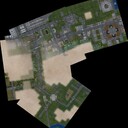
Hey mir ist aufgefallen das wenn man TAP drück und das Fenster erscheint wo die Spieler stehen, dass man sich jetzt hier nicht mehr bewegen kann.
Das ist leider dem Umstand geschuldet, dass nun mit der Maus mit der Spielerliste interagiert werden kann (UID kopieren etc, später werden auch andere Dinge darüber möglich sein wie Teleportieren oder Kicken). Grundsätzlich ist bei allen Menüs, die den Mauszeiger aktivieren (Journal, Inventar, Craftingmenü etc) die Bewegung deaktiviert^^
-
Thanks for the logs!
One question: Is there maybe "Geometry Instancing" disabled in your case? Please have a look at the config.properties file in the game directory. If the value "graphic_instancing" is set to false, try to change it to true, save the file, and run the game again. Does the issue still persist? -

Just wondering if in the future it's gonna be possible to actually see the boat while you're traveling in it? Right now it looks like your character is flying over the water surface as you can't see any of the boat. So that's not very realistic.
Hmm... what do you mean exactly? Basically you should be able to see the boat while sitting in it
-
@Smoka Achso ok
Wie gesagt, dass Objekte durch Poster hindurch nicht benutzbar sind ist nicht gewollt, das wird in Kürze geändert -
@Smoka: War das Schild lediglich nicht mehr benutzbar durch das Poster hindurch (das ist ungewollt und wird in Kürze geändert^^), oder war das Poster jetzt generell vom Schild überdeckt (sodass das Poster quasi hinterm Schild verschwunden ist)?
-
If you work with that timer you will probably need to stop the timer when the player logs out, otherwise you would probably get a nullpointer exception the next time that timerevent is triggered...
Good point! You won't get a nullpointer though, but it's still a bad thing if too many unnecessary timers are running in the background. Having a small check inside the timer if the player is still connected (and kill it if needed) would be indeed a better approach:
Display MoreJava -

the boat does not visible when moving away from the boat (I'm sorry for my bad english)
We will increase the view distance for boats in the near future

Ok a follow on from my last post thanks for the comment about using posters guess that may come in handy, but now after the last hot fix i'm having even more trouble in accessing some of my creates (hidden with a manhole cover) iv up loaded a small video so you can see what is going on now
Thanks for the video! That's indeed a bug, we'll fix it ASAP

1. How/where do you craft the new "Bomb"?
You can only obtain it via fishing, however, of course you can also use a command to spawn it:
item bomb 1
2. Since installing the update, all the trees and plants are frosted over, even though I'm nowhere near any frozen biomes. Things are frozen in beach/desert biomes even!
This seems to be an issue with the graphics card / driver. Another user experienced the same issue. What graphics card do you use exactly? Maybe you can send us a log file, as described here

Maybe it's a sign that Nitrado's hosted device is on a bad sector, or something, as you mentioned
Oh, no, it's not related to the server. If the server has an issue, it should not have an impact on your framerate in most cases. If the game stutters (low frame rate, pauses etc), it's usually a clientside issue, but if the world takes ages to load (while you're still able to walk around), it's usually a serverside issue.
I was actually referring to your own, clientside hard drive -
Thanks for the screenshots! This seems to be an issue with the graphic card / driver
It looks like you're already using the latest driver (dated on 2016), at least there doesn't seem to be a newer driver available for that graphics card... can you maybe post a log file? To do that, go to your game directory (rightclick on RW in Steam -> Properties -> Local files -> Browse local files) and open the config.properties File with a text editor. Set "game_debug_console" to true, save the file, and run the game. Now try to harvest some of these "broken plants". If it doesn't work, quit the game, and go into the "Logs" subfolder in your game directory. There should be a log file now, please upload it here, or alternatively send it via PM or support@jiw-games.net to me -
Hehe, freut mich, dass das Problem gelöst ist
-
Danke für den Log
Er kann die Welt nicht finden. Heißt die Welt nur Zipfiklotschhausn, oder heißt sie Zipfiklotschhausn / nix Besuch / nix moi guckn / nix oba nur kurz/Zipfiklotschhausn? Bei letzteren Namen könnte es durch die Slashes Probleme mit dem Dateisystem geben... der Weltname kann in der server.properties unter "server_world_name" angepasst werden -

es würde fürs wasser derzeit schon eine hilfe sein wenn es zumindest einfach zu entfernen wäre via f7 und einem roten kasten den man drüberlegt und nur wasser wegtrocknet, dampft, oder aufsaugt beim setzen genauso. das wegmachen finde ich im moment extrem anstrengend, weil es schwer zu sehen ist und sich gefühlt wiederspennstig und bockig beim wegmachen gibt
Das muss auf jeden Fall noch geändert werden, vor allem im Survival ist es sehr schwierig, Wasser vernünftig zu setzen oder zu entfernen...
und fürs survival die schwung/bambusangel, stecken nur mit faden ohne rolle. würde auch dem mittelalter helfen, telescope carbon angel mit rolle past bei den jungs nu nicht so
Mehr Angeln werden auf jeden Fall noch kommen
Ich habe noch ein kleinen Bug gefunden. Glasscheiben passen sich beim Einsetzen nicht mehr der Größe des Rahmens an.
Danke für den Hinweis, das werden wir uns mal genauer ansehen

Aber nur ab und zu, nicht bei jedem Auswerfen. Oder ist das nur bei mir so?
Die Köder werden immer benutzt (sofern im Inventar), aber nur in 50% der Fälle verbraucht. Später wird sowas u.a. mit einem Skill-Systen kombiniert^^

Ich kann keine Schilder mehr hinter Postern benutzen. ist das gewollt?
Meinst du, dass du auf die Schilder nicht mehr zugreifen kannst, oder dass die Schilder nicht mehr sichtbar sind?

Ich suche immer noch nach den neuen Konsolenbefehlen. Vielleicht weiß die ja jemand
Für die (fertigen) Boote: vehicle rowboat und vehicle rib
Die Bauitems der Boote: item rowboatkit1 1, item rowboatkit2 1, item rowboatkit3 1 und item ribkit1 1, item ribkit2 1
Stiefel: clothing oldboot
Entchen: item rubberduck 1
Bombe/Granate: item bomb 1
Semi-autom. Gewehr: item m14 1 und passend die Muni: item ammom14 1
Fische: item salmonraw 1, item perchraw 1, item plaiceraw 1, item herringraw 1, item catfishraw 1, item tunaraw 1 ("raw" kann auch durch "cooked" oder "burned" ersetzt werden)
Angel: item fishingrod 1 und passender Köder: item earthworm 1Um eine Tasche mitsamt Item zu bekommen, kann man den Befehl itembag <itemname1> <itemname2>... benutzen, also zB itembag rubberduck. Per Befehl ist es möglich, beliebig viele Items in einen Beutel zu packen
Kann man mit der Quietscheente für sonst noch etwas benutzen?
Nein, ist eher nur ein Gag. Im MP kannst du damit lediglich andere Spieler anquietschen^^
-
Tritt ggf. ein Fehler auf, also findet sich im Serververzeichnis eine "errorlog" Datei? Ansonsten könntest du ggf. einmal den neuesten Log hier posten (oder mir per PN senden), dieser findet sich im "Logs" Unterordner im Serververzeichnis

