Hey Leute,
ein neues Update ist jetzt verfügbar, welches neuen Content und neue Features ins Spiel bringt und einen größeren Wert auf Survival und Fortschritt des Spielers legt!
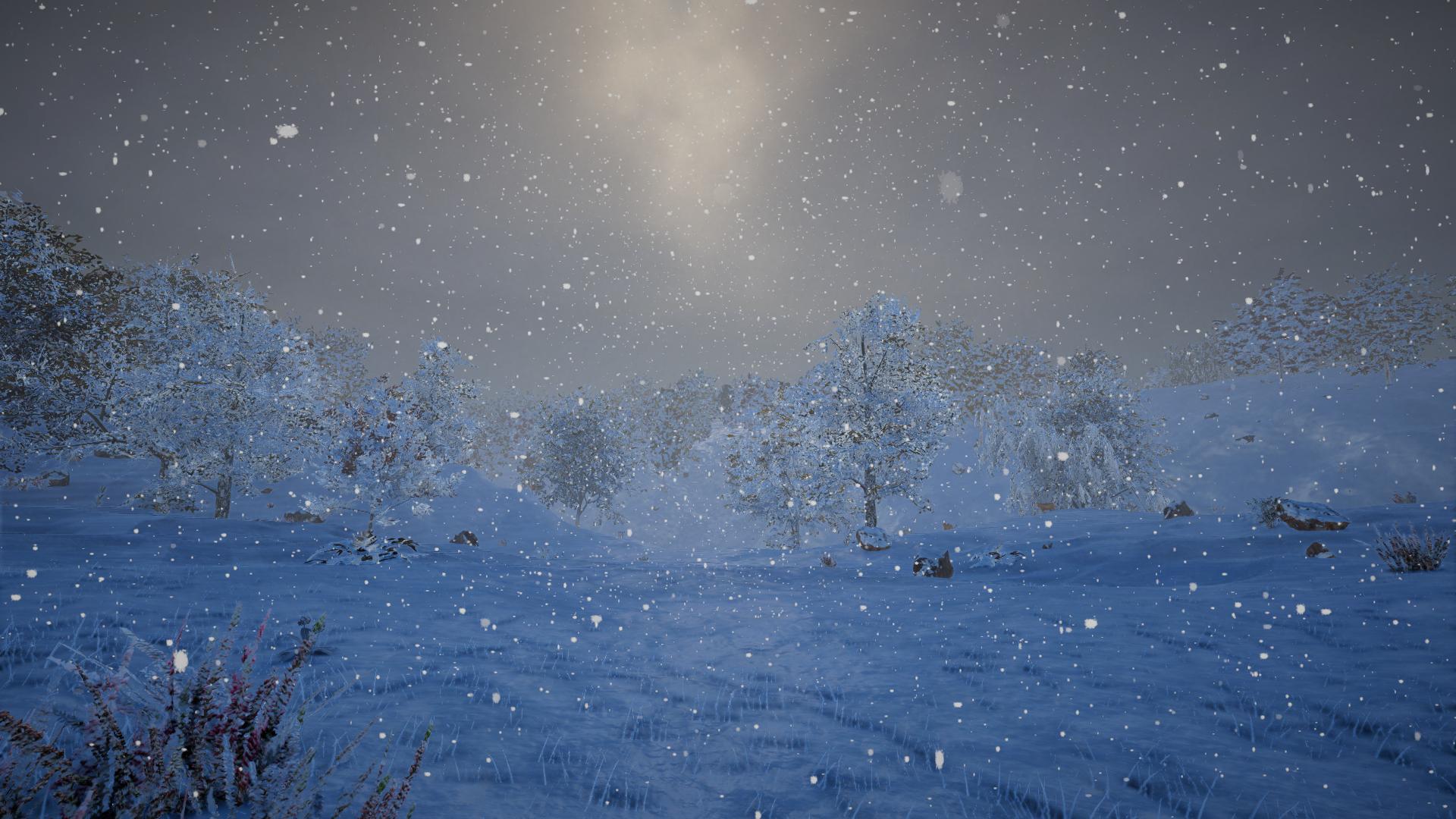
Eines der Hauptfeatures des Updates sind Jahreszeiten: Während man eine üppige Umgebung im Frühling und Sommer vorfindet, färbt sich das Laub im Herbst gelb und orange. Im Winter wartet eine ungemütliche und kalte Umgebung, welche von regelmäßigem Schneefall geprägt ist. Pflanzen können im Winter nicht wachsen und der Spawn von Tieren ist ebenfalls begrenzt.
Jede Jahreszeit dauert 31 Tage. Es ist möglich, Jahreszeiten auch zu deaktivieren oder manuell mit dem neuen "season" Konsolenbefehl zu ändern.
Das Spiel passt nun auch das Wetter abhängig von der Region an.
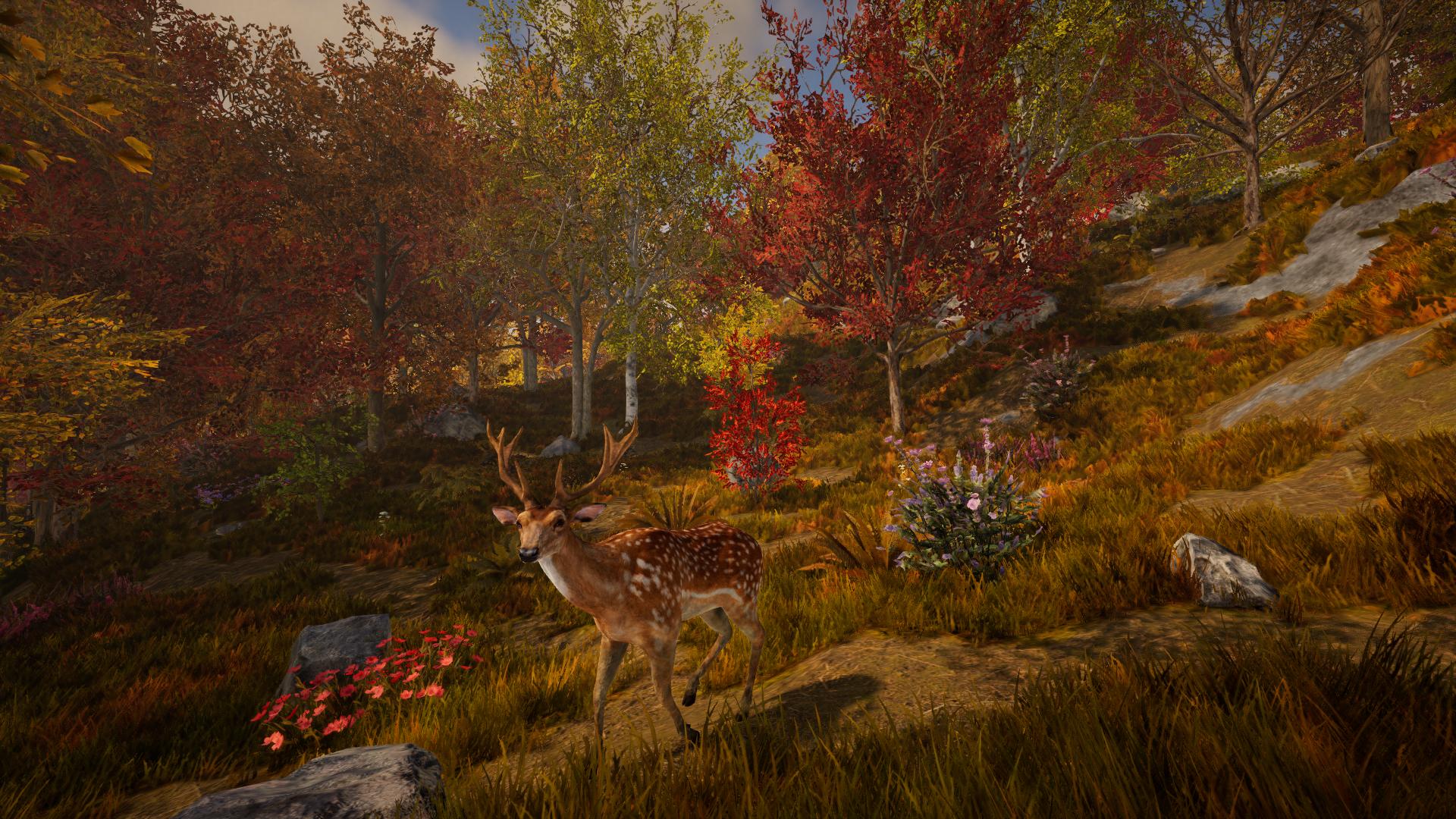
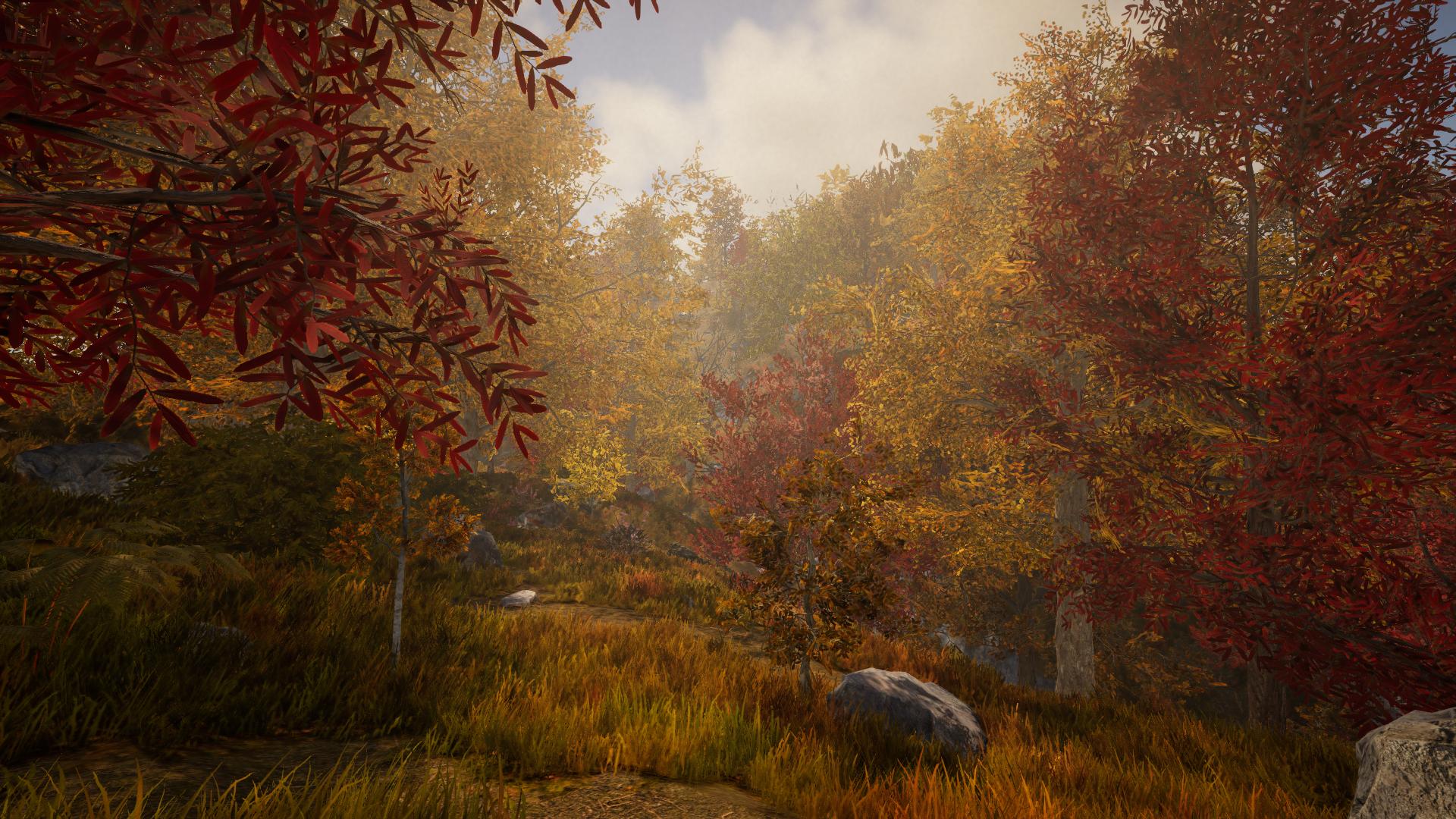
Mit diesem Update spielt auch die Temperatur eine Rolle. Die aktuelle Jahreszeit und das Wetter haben einen signifikanten Einfluss auf die Temperatur. Es wird nötig sein, angemessene Kleidung für den Winter herzustellen oder bevor man zu kälteren Regionen reist. Man sollte sich von Eisstürmen im Winter in Acht nehmen, welche tödlich enden können.
Wenn es zu kalt wird, kann man entweder in einem Gebäude oder einer Höhle Unterschlupf suchen oder ein Lagerfeuer bauen, um sich aufzuwärmen.
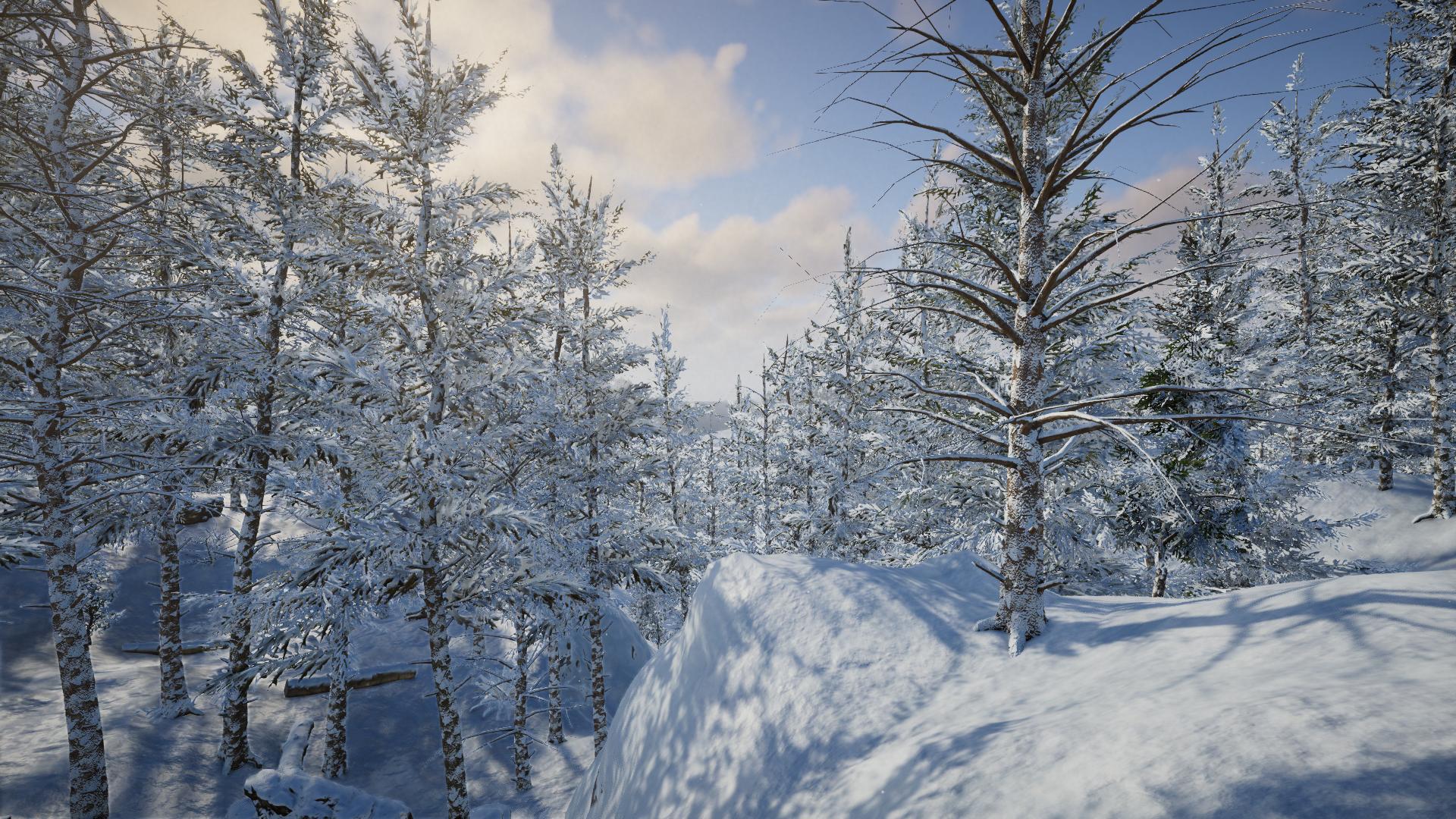
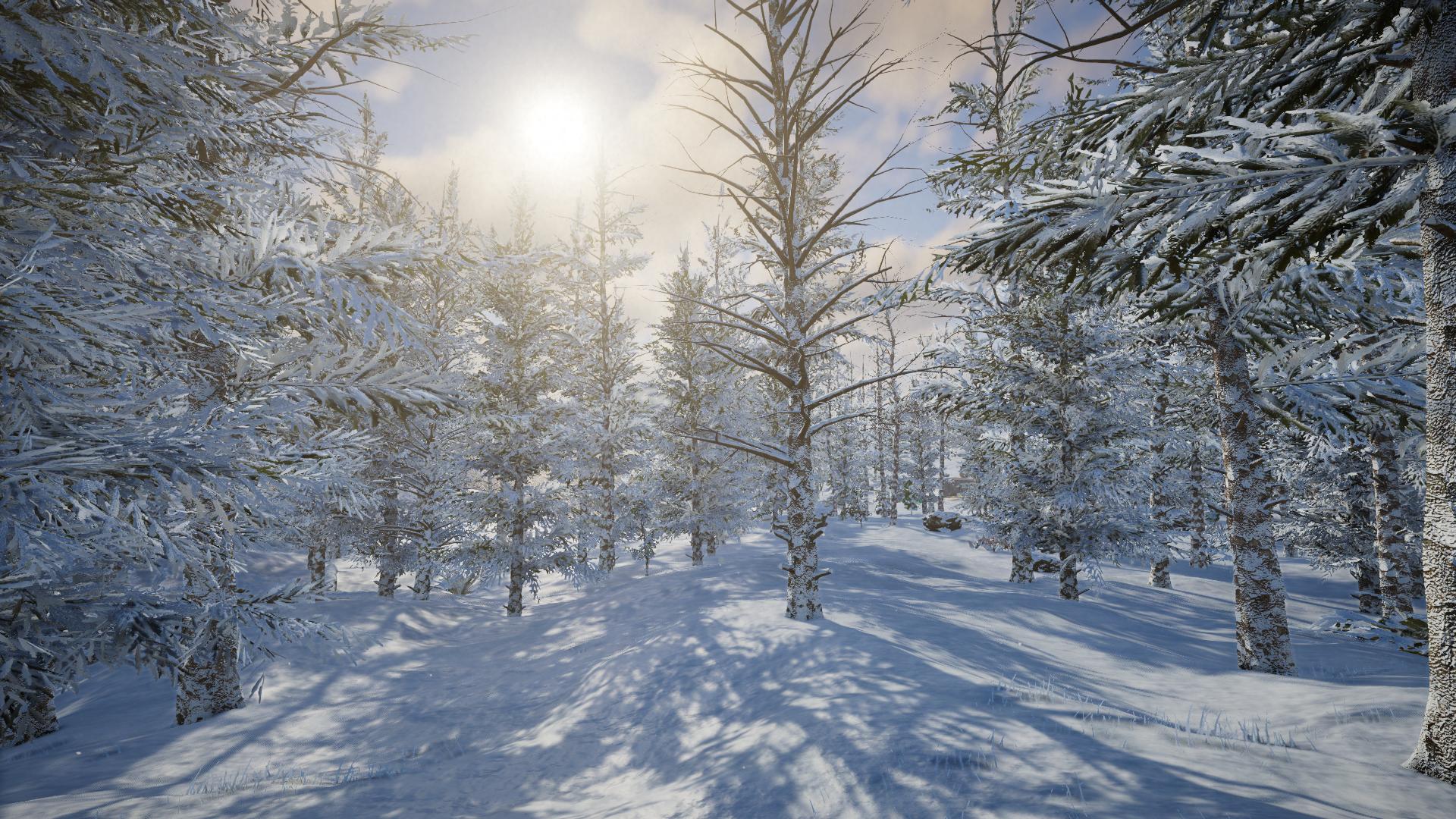
Dieses Update ändert auch den Erzspawn - Erze wie Gold oder Aluminium finden sich nun nur noch in ariden bzw. Polarregionen. Wenn man also fortgeschrittenere Items herstellen möchte, ist es nötig, zu anderen Regionen zu reisen.
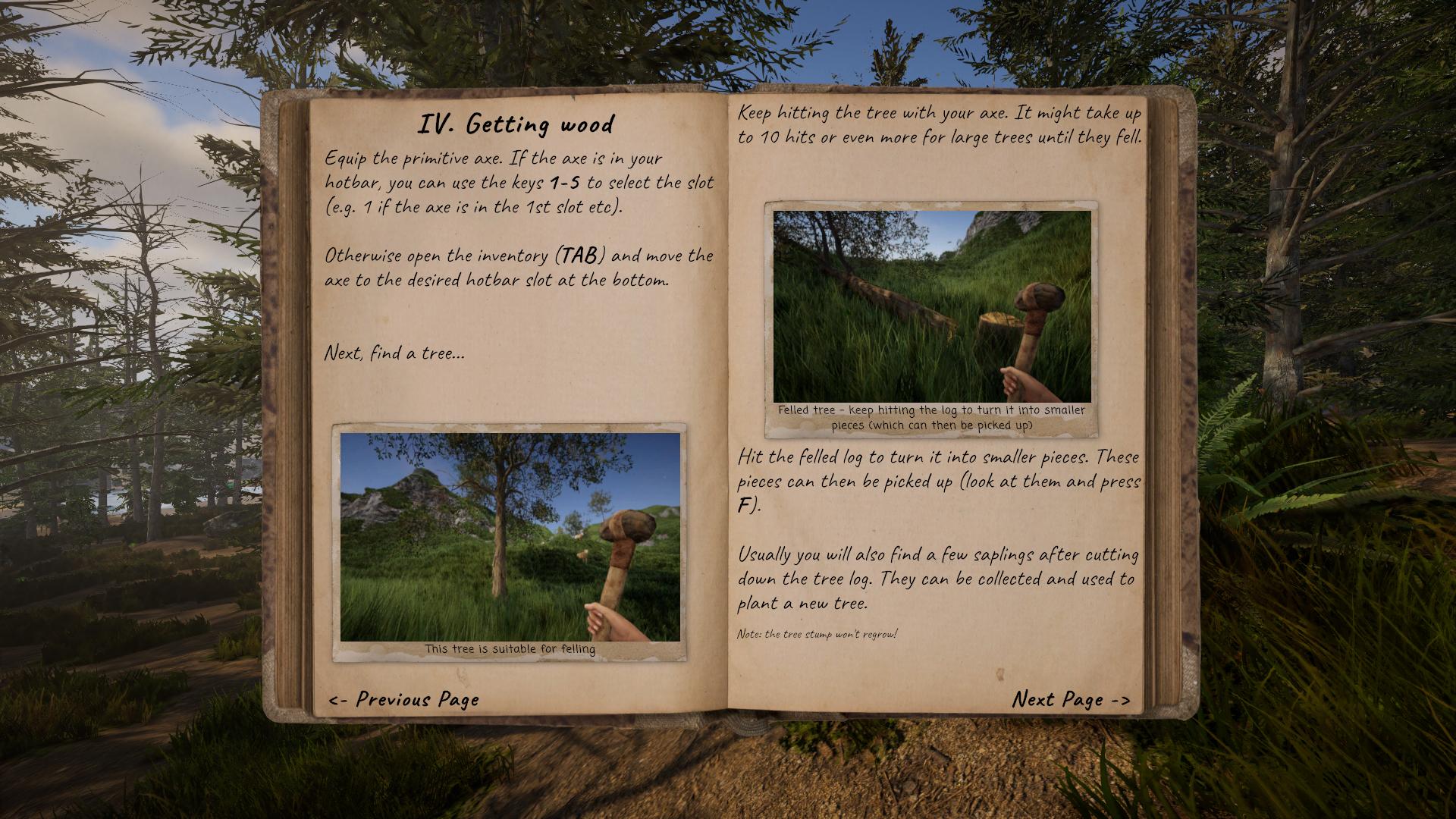
Um mehr Informationen darüber zu erhalten, wo sich welche Rohstoffe finden lassen, kann auch das neue Journal verwendet werden: Mit J lässt es sich öffnen. Es dient einerseits als Starthilfe für neue Spieler, bietet aber auch Informationen zu diversen Resourcen. Zusätzlich können eigene Notizen im Journal hinterlegt werden.
Dieses Update enthält auch eine erste Implementation eines "Crafting-Fortschritts". Beim Erstellen einer neuen Welt sind die meisten Crafting-Rezepte noch nicht verfügbar und werden erst im Laufe der Zeit freigeschaltet. Wenn der Cursor über ein unbekanntes Rezept bewegt wird, zeigt das Spiel einen Hinweis, was für die Freischaltung des Items nötig ist. Bitte beachte, dass dies noch nicht die finale Fassung ist und sich eventuell noch ändern kann, je nach Feedback.
Ein weiteres Feature dieses Updates: Die meisten Items haben nun eine begrenzte Haltbarkeit. Im Inventar ist der aktuelle Zustand des Items sichtbar, der Zustand hat aber auch einen Einfluss auf die Optik sowie dem Sound des Items. Wenn man ein kaputtes Item weiterverwendet, wird es letztenendes zerbrechen.
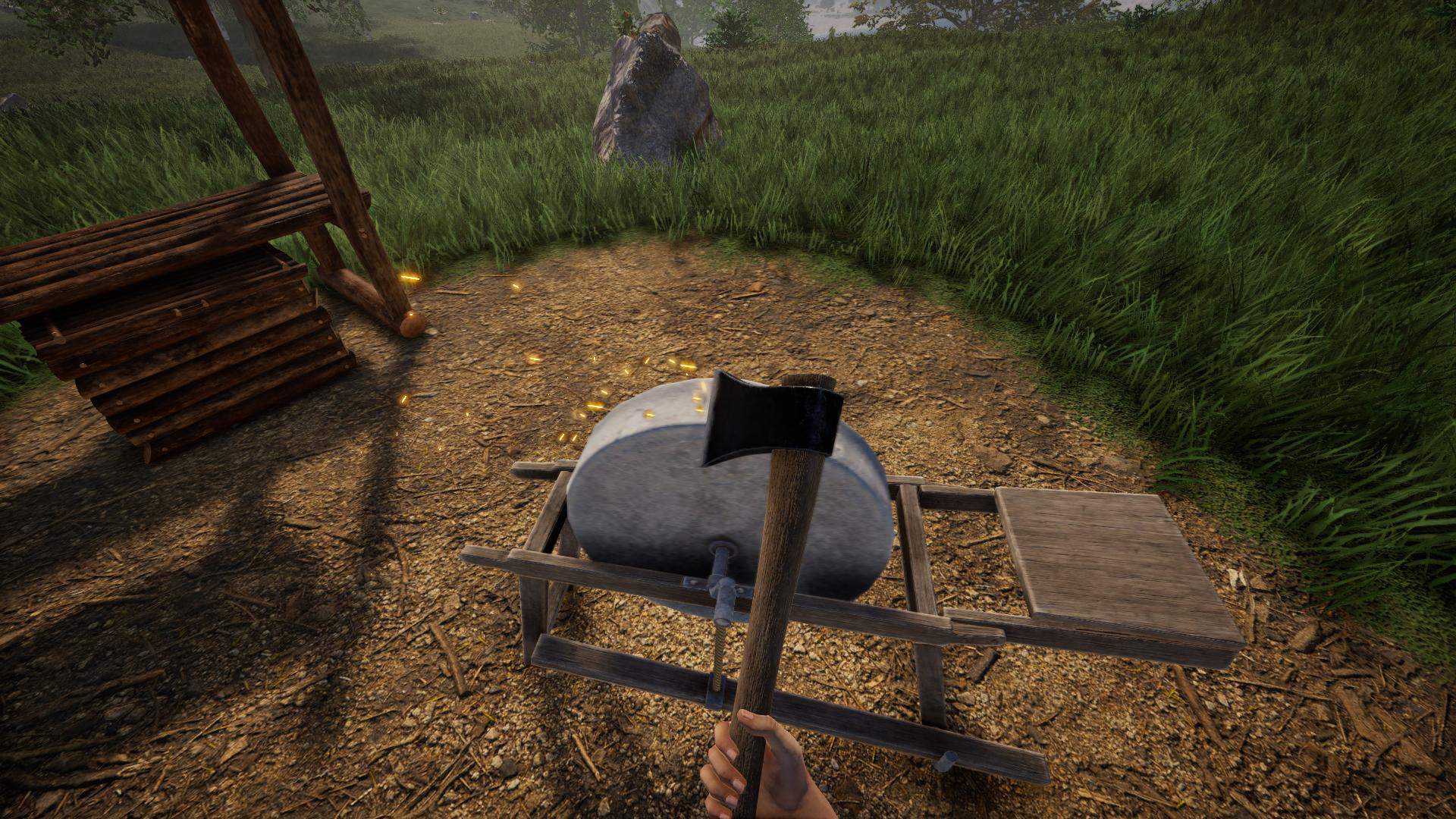
Die meisten Werkzeuge lassen sich übrigens reparieren (sofern sie noch nicht vollständig kaputt sind). Der mit diesem Update neu hinzugefügte Schleifstein dient dazu, Werkzeuge und Waffen sowohl zu reparieren als auch zu schärfen.
Zusätzlich zu den neuen Features bringt dieses Update auch verschiedene neue Items und Objekte. Ein Kalender-Objekt ist nützlich, um sich zB den aktuellen Tag sowie Jahreszeit zu sehen. Eine Taschenuhr zeigt die momentanige Uhrzeit, und eine Lupe kann den maximalen Zoom (Z) erhöhen, was gerade beim Bauen mit kleinen Teilen nützlich ist.
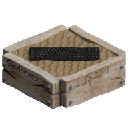
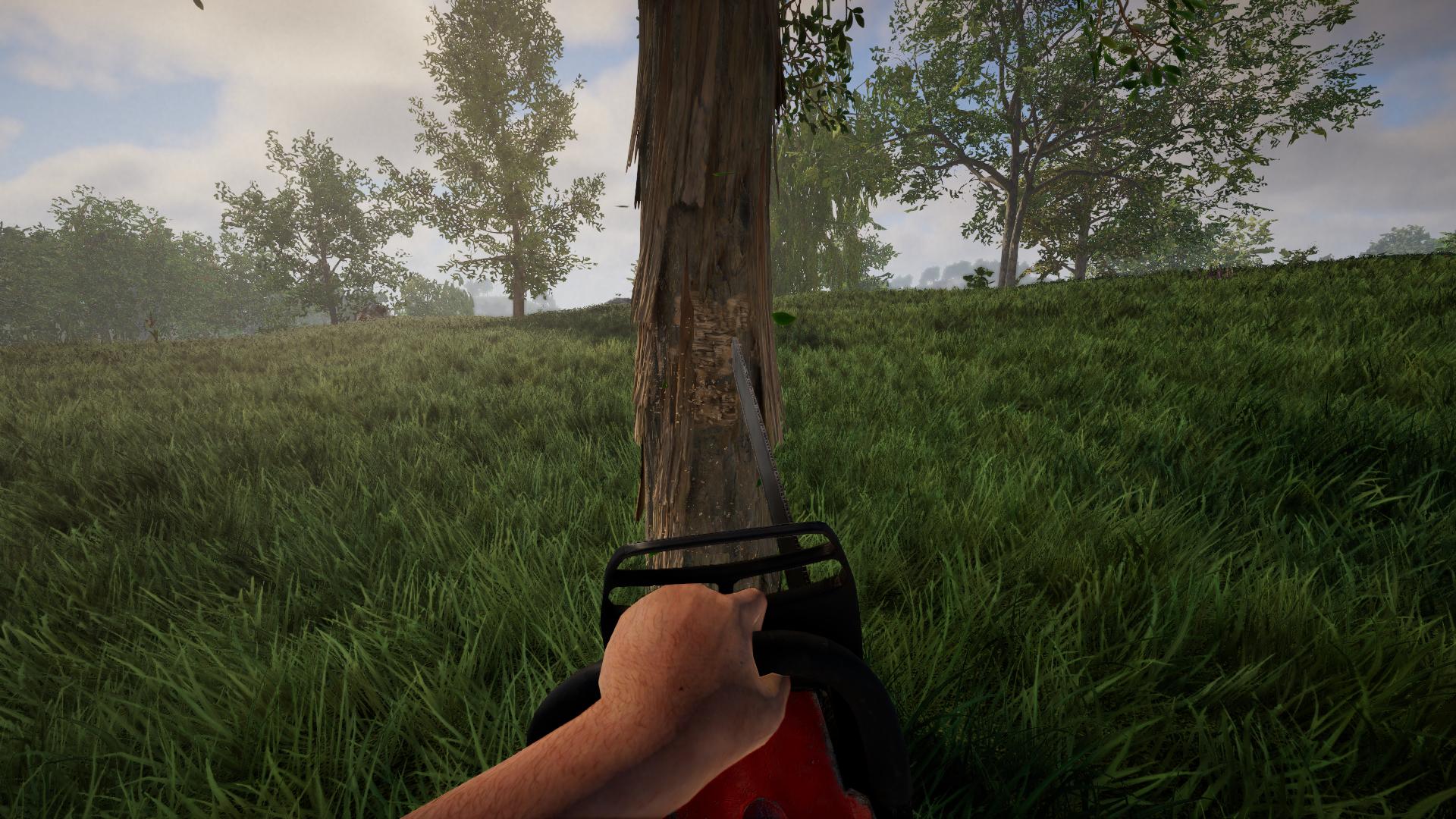
Wir haben auch einige Objekte der Java-Version übertragen, wie zB die Zugbrücke oder Kanalabdeckungen. Ansonsten gibt es noch eine Bärenfalle, verschiedene primitive Möbel sowie eine neue Kettensäge. Für das Segelboot kann auch eine optionale Lagerungskiste hergestellt werden. Apropros Segelboot: Man kann es nun individualisieren, indem ein eigenes Bild bzw. Logo zum Segel hinzugefügt werden kann!

Zu guter Letzt können nun auch Terrain-Materialien im Survival-Modus aufgesammelt werden. Einige sind nötig, um bestimmte Items herzustellen (zB kann Sand zu Rohglas geschmolzen werden), aber alle Materialen können nun auch wieder in der Welt platziert werden. Beim Platzieren können sie entweder hinzugefügt (bzw. aufgetragen), oder bestehendes Terrain ersetzt werden - in beiden Fällen sollte eine Vorschau auftauchen, die andeutet, wie die Änderung aussehen würde.
Wie immer findet sich anbei der volle Changelog. Falls du auf irgendwelche Probleme stößst oder Fragen hast, lass es es uns bitte wissen 
Store-Page Update
Die neue Version befindet sich weiterhin noch in einem Beta-Branch. Wenn du die neue Version spielen möchtest, stelle sicher, dass der Beta-Branch aktiv ist (siehe diesen Thread für weitere Informationen).
Sobald alle verbliebenen Probleme behoben sind, werden wir die Store-Page aktualisieren und die Java Version durch die neue Version ersetzen (die Java Version wird aber natürlich weiterhin spielbar bleiben - siehe unten für weitere Informationen). Wir werden allerdings noch ein paar zusätzliche Tage brauchen, um alles zu testen und sicherzustellen, dass Welten bei der Umstellung nicht verloren gehen, sodass die Umstellung wahrscheinlich erst nach den Feiertagen geschehen wird.
Java Version
Falls du lieber die Java Version spielen und nicht zur neuen Version wechseln möchtest, haben wir einen neuen Beta-Branch speziell für die Java Version eingerichtet. Wenn du den "java_legacy" Beta-Branch aktivierst, wirst du die neue Version nicht automatisch erhalten wenn wir die Store-Page umstellen. Um den Java Beta Branch zu starten, gehe via Rechtsklick auf Rising World in deiner Steam Bibliothek, wähle "Eigenschaften", wechsle dann zum "Betas" Tab und wähle dort "java_legacy" aus der Liste aus (kein Code benötigt). Schließe das Fenster und anschließend solltest du wie gewohnt weiterspielen können.
_____________________________________
Changelog 0.8 (17.12.2024):
- [Neu] Jahreszeiten (Frühling, Sommer, Herbst, Winter)
- Jahreszeiten beeinflussen Farbgebung der Umgebung und Vegetation
- Wetter ist abhängig von der Jahreszeit
- Schneefall im Winter (einschließlich Schneestürme usw)
- Setzlinge und Keimlinge wachsen nicht mehr im Winter
- Jede Jahreszeit dauert 31 Spieltage
- [Neu] Items wie Werkzeuge und Waffen haben nun eine begrenzte Haltbarkeit
- Item-Zustand wird im Inventar angezeigt (beim Hovern mit dem Cursor)
- Wenn sich ein Item abnutzt, ändern sich das Aussehen, der Sound sowie die Stats des Items
- Die meisten Items können bis zu einem bestimmten Grad repariert werden (siehe Schleifstein)
- Wenn ein kaputtes/ruiniertes Item weiterhin benutzt wird, zerbricht es irgendwann
- [Neu] Temperatur hat nun Einfluss auf den Spieler
- Icon in Status-Leiste zeigt an, ob Temperatur zu hoch oder niedrig ist
- Kalte Temperaturen fügen dem Spieler schaden zu, heiße Temperaturen dehydrieren den Spieler
- Icon zeigt ebenfalls an, ob die Temperatur momentan steigt oder sinkt
- Temperatur wird durch Wetter, Umgebung, Jahreszeit und Region bestimmt
- Wenn der Spieler nass/klamm ist, sinkt die Temperatur
- Temperatur ist niedriger während der Nacht sowie im Gebirge
- Aufenthalt in Gebäuden oder Höhlen hat positiven Einfluss auf die Temperatur
- Aufenthalt nahe Wärmequellen (zB Lagerfeuer) erhöht die Spielertemperatur
- [Neu] Wenn der Spieler nass/klamm ist, wird nun ein Status-Icon angezeigt
- [Neu] Im Survival kann man nun Terrain-Materialien aufsammeln und auch wieder in der Welt platzieren
- [Neu] Neue Werkbank: Schleifstein, mit welchem Werkzeuge/Waffen geschärft und repariert werden können
- [Neu] Neues Item: Motorsäge
- [Neu] Neues Item: Taschenuhr (um die aktuelle Uhrzeit zu sehen)
- [Neu] Neues Item: Lupe (um den maximalen Zoom via Z zu erhöhen)
- [Neu] Neue Objekte: Primitive Kiste, primitiver Stuhl, Tisch und Regal (herstellbar an primitiver Werkbank)
- [Neu] Neues Objekt: Kalender (zeigt Ingame Tag und Jahreszeit)
- [Neu] Neues Objekt: Bärenfalle
- [Neu] Neues Objekt: Rundumleuchte
- [Neu] Zugbrücke hinzugefügt
- [Neu] 4 verschiedene Kanalabdeckungen hinzugefügt
- [Neu] Optional herstellbare Kiste für Segelboot hinzugefügt
- [Neu] Neue Kleidung: Wolfsmaske und Schädelmaske hinzugefügt (Kopfbekleidung)
- [Neu] Bacon hinzugefügt, welches von Schweinen erhalten werden kann
- [Neu] Dem Segel von Segelbooten können nun eigene Bilder/Logos hinzugefügt werden (F gedrückt halten beim Betrachten des Bootes)
- [Neu] Sand kann nun zu Rohglas geschmolzen werden (wird zur Herstellung diverser Items benötigt)
- [Neu] Journal hinzugefügt (J), welches diverse Hilfestellungen und Infos enthält
- [Neu] Eigene Notizen können im Journal hinterlegt werden (geteilt in allen Welten)
- [Neu] Neue Wettereffekte hinzugefügt
- [Neu] Neue Schallplatte (neues Musikstück) hinzugefügt
- [Neu] Die Karte zeigt nun die letzte Position an, an der man gestorben ist
- [Neu] Mehrere neue Map-Marker für den Multiplayer hinzugefügt (im Singleplayer auch verfügbar über die Game_MapEnableAllIcons Einstellung in der config)
- [Neu] Beim Bauen kann das Raster nun gedreht werden (d.h. die Ausrichtung verändert werden) mit dem neuen "gridrotation" Konsolenbefehl
- [Neu] Bodentextur und Terrain-Höhe in superflachen Welten kann nun von Multiplayer-Servern geändert werden (siehe server.properties)
- [Geändert] Engine auf Unity 6 aktualisiert
- [Geändert] Darstellung der volumetrischen Wolken verbessert
- [Geändert] Aufheben von Erzen aus Öfen ist nun etwas einfacher (Ofen wird nicht mehr so schnell versehentlich eingeschaltet)
- [Geändert] Es ist nun eingeschränkt möglich, Blaupausen über dem maximalen vertikalen Chunk-Limit zu platzieren (zB im Orbit)
- [Geändert] Setzlinge und Keimlinge können nun nicht mehr auf gefrorenem Boden gepflanzt werden (relevant im Winter)
- [Geändert] Spieler wirft beim Reiten von Pferden nun einen Schatten
- [Geändert] Mindestfallabstand erhöht, ab wann der Spieler Fallschaden zugefügt bekommt
- [Geändert] Renderqualität vom Gras und diversen Pflanzen verbessert
- [Geändert] Das Raster (G) arbeitet nun beim Platzieren von Objekten (zB Möbel, Türen usw) verlässlicher
- [Geändert] Interaktionstaste (F) kann nun auch zum Schließen von Kisten oder Crafting-Menü verwendet werden
- [Geändert] Creative-Modus F8 Editier-Werkzeug (1) behält nun zuletzt gewählte Rotationswerte bei
- [Geändert] Spiel zeigt nun eine Fehlermeldung, wenn eine Blaupause nicht auf der Festplatte gespeichert werden konnte
- [Geändert] Wenn eine Tür blockiert war, behält sie nun nach einem Neuladen die korrekte Position bei
- [Geändert] Beim Schlafen über Nacht wird nun auch das Wetter beeinflusst
- [Geändert] Pflanzen und Gras werden bei Regen nun nass
- [Geändert] Es ist nun etwas schwieriger, Berge hinaufzulaufen
- [Geändert] Geschwindigkeitsreduzierung des Segelboots verringert, wenn in Gebäuden oder in Höhlen
- [Geändert] Sounds des Minenbohrers angepasst
- [Geändert] Wasser verdeckt nun nicht mehr die volumetrischen Wolken (wenn sich der Spieler über den Wolken befindet)
- [Geändert] Separate Grafikeinstellung "Matte Lichtbrechungen" hinzugefügt, um verschwommene Glasscheiben (zB Milchglas) zu aktivieren/deaktivieren
- [Geändert] Lesbarkeit des Chats sowie anderer Texte auf dem HUD verbessert
- [Behoben] Behoben, dass sich die Framerate zu niedrig anfühlte, wenn sie bei über 60 FPS lag (Feedback benötigt)
- [Behoben] Bug behoben, dass das Spiel ignorierte, wenn Höhlen- oder Höllennpcs deaktiviert waren (betraf Spinnen, Ghouls und Feuerwölfe)
- [Behoben] Bug behoben, dass Boote im Multiplayer nicht zerstört oder auseinandergenommen werden konnten
- [Behoben] Bug behoben, dass Pferde auch ohne Sattel geritten werden konnten
- [Behoben] Falsche Dimensionierung von Blaupausen beim Platzieren behoben, wenn sie skalierte Objekte (wie zB kleinere Türen) enthalten
- [Behoben] Falsche Render-Reihenfolge von Bauteilen und transparenten Teilen in Blaupausen-Vorschau korrigiert
- [Behoben] Behoben, dass Karte beim Wegwerfen durch den Boden fiel
- [Behoben] Behoben, dass der "renderconstruction" Befehl manchmal zu verzerrten Icons führte
- [Behoben] Visuelle Artefakte mit Wasser Splash Effekt behoben
Hotfix (19.12.2024):
- [Geändert] Tastenbelegung für Karte (M) kann nun in den Einstellungen geändert werden
- [Geändert] Haltbarkeit von primitiver Axt erhöht
- [Behoben] Sporadischen Crash beim Entfernen von Tierkadavern behoben
- [Behoben] Beim Platzieren von Terrain im Survival-Modus wird nun eine Vorschau angezeigt
- [Behoben] Behoben, dass das Journal nach dem Neuladen einer Welt leer war
- [Behoben] Behoben, dass der Fortschritt bei den Crafting-Rezepten beim Wechsel einer Welt nicht zurückgesetzt wurde
- [Behoben] Behoben, dass das Aufheben von Leder vom Gerbgestell nicht die nötigen Rezepte freigeschaltet hat (falls du bereits Leder im Inventar hast, werfe es kurz weg und hebe es wieder auf, um die Freischaltung zu triggern)
- [Behoben] Behoben, dass Glas- und Stoffbezogene Rezepte nicht freigeschaltet wurden
- [Behoben] Probleme mit manchen Plugins behoben
Hotfix 0.8.0.1 (20.12.2024):
- [Neu] Item-Haltbarkeit kann nun eingestellt und optional auch deaktiviert werden (siehe Einstellungen -> Verschiedenes)
- [Geändert] Um manche Werkzeuge zu craften, wird nun ein Amboss benötigt
- [Geändert] Herstellungsrezept für Ruderboot angepasst (benötigt keine Seile mehr)
- [Behoben] Behoben, dass skalierte Saloontüren defekt dargestellt wurden
- [Behoben] Behoben, dass Text auf Erzdetektor unsichtbar war
- [Behoben] Behoben, dass Funken beim Schleifen am Schleifstein in die falsche Richtung flogen
- [Behoben] Behoben, dass die Spielmusik nicht mehr abspielte
- [Behoben] Behoben, dass Äxte und diverse andere Tools am Schleifstein nicht geschärft werden konnten
- [Behoben] Behoben, dass manche Tools am Schleifstein nicht repariert werden konnten
- [Behoben] Fehlerhafte Kollisionserkennung für Tiere korrigiert
- [Behoben] Darstellungsfehler an manchen transparenten Bauelementen behoben
- [Behoben] Probleme beim Bewegen von Blaupausen während manuelles Platzieren aktiv ist behoben
- [Behoben] Fehler beim Duplizieren (im Creative-Modus) eines Items im letzten Slot der Hotbar behoben
- [Behoben] Behoben, dass sich die Kleidung toter Spieler pink färbte (fehlendes Material) nach einem Kleidungswechsel
Hotfix (21.12.2024):
- [Behoben] Blinkenden Info-Text in unterer linker Ecke des Bildschirms behoben
Hotfix 0.8.0.2 (30.12.2024):
- [Neu] Neues Items: Feuerwerksrakete und große Feuerwerksrakete
- [Neu] Stein kann im Mahlwerk nun zu Kies verarbeitet werden
- [Neu] Seiten für Wolfram und Schwefel zum Journal hinzugefügt (siehe "Rohstoffe")
- [Neu] Harke, Hacke und Vorschlaghammer zeigen nun Raster auf Terrain an (kann mit G umgeschaltet werden)
- [Neu] Man kann von Aleppo-Kiefern nun Setzlinge erhalten
- [Neu] Spiel zeigt nun eine Nachricht, wenn die Welt aufgrund von I/O Fehlern nicht gespeichert werden konnte
- [Geändert] Eigene Notizen fürs Journal können nun auf unbegrenzt vielen Seiten geschrieben werden
- [Geändert] Gesundheit regeneriert sich nun automatisch wenn Hunger/Durst > 90% sind. Schnellere Regenerierung beim Schlafen
- [Geändert] Haltbarkeit aller Eisen- und Stahlwerkzeuge reduziert
- [Geändert] Bestimmte Setzlinge (z.B. Fichte) kann nun auch auf gefrorenem Boden gepflanzt werden (außer er ist komplett von Schnee bedeckt)
- [Geändert] Man erhält nun Stöcke, wenn man junge Bäume fällt
- [Geändert] Schneefall hat keinen Einfluss mehr auf Durst
- [Geändert] Spawnrate für Aluminium-Erz in arktisches Region etwas angehoben
- [Geändert] Freischalten von Crafting-Rezepten wird nicht mehr im Creative-Modus angezeigt
- [Geändert] Feindliche Npcs und Tiere reagieren nun wieder auf Schüsse und Projektile
- [Geändert] Einstellungen für Hunger/Durst, Temperatur und Fallschaden sind nun invertiert (d.h. statt sie zu deaktiveren werden sie aktiviert)
- [Behoben] Behoben, dass Plugin API unter manchen Linux Distros nicht funktionierte (Feedback benötigt)
- [Behoben] Behoben, dass Vorschlaghammer und Harke nicht abnutzten, wenn damit Terrain bearbeitet wurde
- [Behoben] Behoben, dass unter manchen Linux Distributionen Plugins nicht geladen werden konnten (Feedback benötigt)
- [Behoben] Behoben, dass Items plötzlich wieder neuwertig waren, wenn die Welt neugeladen wurde während das Item kurz vorm Zerbrechen war
- [Behoben] Fehlende Teile in Blaupausen-Vorschau behoben, wenn Blaupause sehr viele Teile enthielt
- [Behoben] Behoben, dass Auflösungs-Skalierung (Grafikeinstellungen) nicht funktionierte
- [Behoben] Position von Blaupausen korrigiert, wenn Raster aktiv war
- [Behoben] Behoben, dass gebackener Speck nicht korrekt dargestellt wurde
- [Behoben] Behoben, dass Hände sichtbar blieben, nachdem ein Zweihandschwert weggesteckt wurde










 I will have to check out what's going on there


 Guess this happens after every engine version update now... thanks for letting me know, I will check out what's going on there!