


I use win grep for searches 
Posts by yahwho
-
-
java -jar file.jar wont work here as there is no manifest attribute ( @Solveign yet)
@Minotorious hehe yes that is also a awesome non-plugin plugin

@Minotorious Is there a performance benefit in using powershell over cmd? If cmd works for the job why use powershell?

-
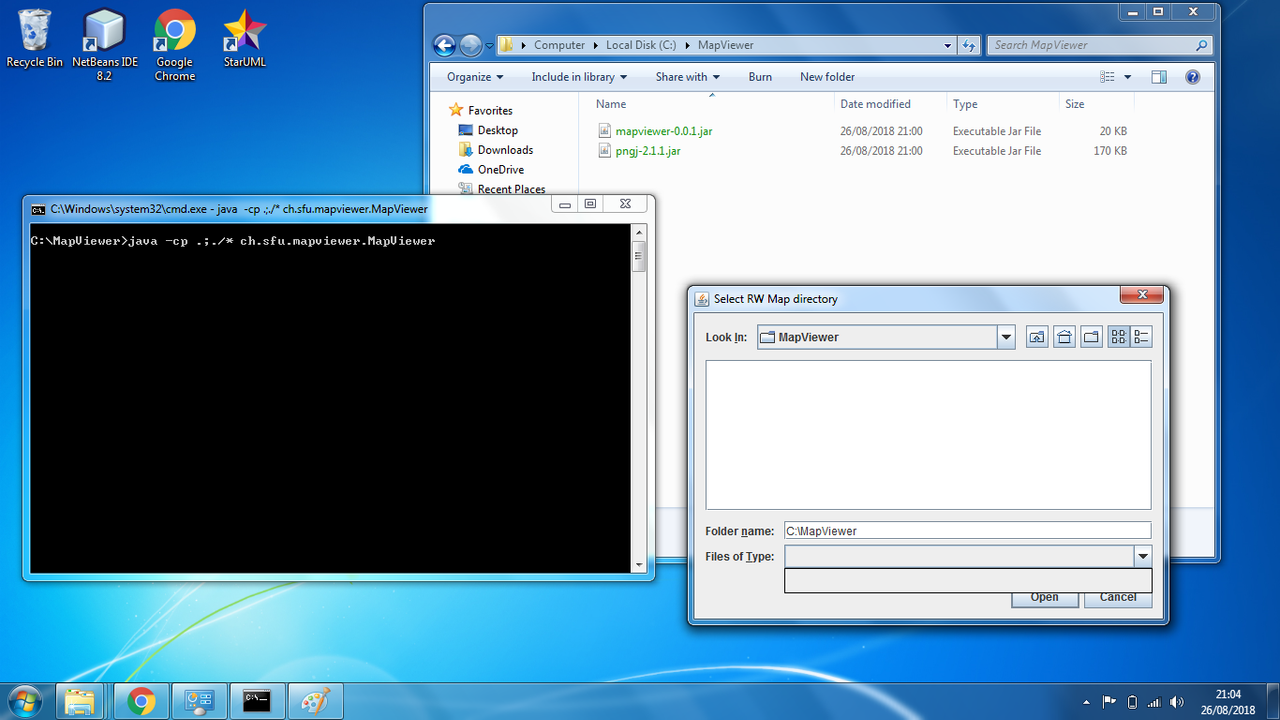
Are you typing java -cp .;./* ch.sfu.mapviewer.MapViewer ? or java -cp .:./* ch.sfu.mapviewer.MapViewer
You need to use .;./* with Windows or you will get a failed to load main class error.
(I'll upload a screen grab)
-
This is what I did (on Windows 10 Pro - but will work on any Windows OS variant)
Download the zip folder.
Create a folder in C: root called MapViewer (Windows 8 and onward you will need to confirm this action as it requires admin rights to create a folder in the root of C).
Extract the zip folder contents to the folder you just created (C:\MapViewer). The folder should now contain two jar files. (mapviewer-0.0.1.jar and pngj-2.1.1.jar). You must move the jar files into the MapViewer folder.
Press Windows Key and R to to open up Run Dialogue, type in cmd press enter (this will open up a console screen).
Type in CD\MapViewer and press enter (you'll be typing this in after your username (e.g. c:\users\username> )
type (or copy and paste) java -cp .;./* ch.sfu.mapviewer.MapViewer and press enter ( you should be in c:\MapViewer\ when you do this on the console).
Program will launch.
Map files are located in: C:\Program Files(x86)\Steam\Steam apps\common\rising world\maps (not on my PC so this is a guess of the path)
(Should be enough information but if you need more just ask!)
Look closely at this screen grab:
-
Best non-plugin plugin on RW
-
Sounds like the host to me then.
-
RW uses a lot of CPU as opposed to GPU. Do you have lag playing on SP or on a public multiplayer server? Might be worth testing out imo to rule out it being a problem with the host. I've had numerous website hosts over the years, some have been great some have been abysmal (I know it's different but it's also the same
 )
) -
As always, awesome!
-
-

Do you need this to find out if a stack has been splitted "inside" the inventory/chest (i.e. the new stack still remains in the inventory/chest), or is it just relevant when moving the new stack from the inventory to a chest (or vice versa)?
Good morning Red, It relevant for when moving and splitting a new stack from inventory to chest as well as chest to inventory.
So the following methods
What is happening is it is creating illegal states (amongst other things). You will actually get kicked from the server with a "you are using modified files" warning.
When you drag a stack from inventory to chest and try to stack an existing item in the chest (with right click) you also get a a graphic glitch

I am using:
to detect the exchanged stack size, but when a stack is split with right click I have no means to detect that this has happened. I.e. the exchange is actually 1 instead of say 64 -
Hmm well my requirement isn't for taking from a protected area (my protection plugin stops you even viewing the contents of a protected chest) so no stealing there.
My problem is somewhat different but still requires the ability to check if a stack have been split. I've been looking through the API for a while now but can't seem to see anything that would do the job.
I take it Mino you're sunning yourself on a beach somewhere?

-
And when you say fix, you mean only allow split stack in your own inventory? That would solve the problem!
-
Hehe yes I didn't want to mention why I needed it!
That said, is there a way to disable mouse input listeners by button?
-
Is there such a listener or is this a call for API request?
-
I see
-
Use the + - keys as spunky linked.
You can also use this in conjunction with the setp command (set precision). Such as
setp veryhigh
And back again with setp default
The shift key (think that's the one - I'm on my phone right now) will lock an object so you can move it and check reference view points.
There are a bunch of excellent videos on YouTube explaining 'advanced' RW building mechanics.
Hope that helps.
-
you're kidding me? that simple

never even thought to look in there
-
-
One of the biggest time consuming factors in code imo is the documentation. It's "easy" to bash out quick dirty bad code, but to write elegant, efficient, well documented code takes time.
The game is great how it is, but people always want more. Human nature I guess.
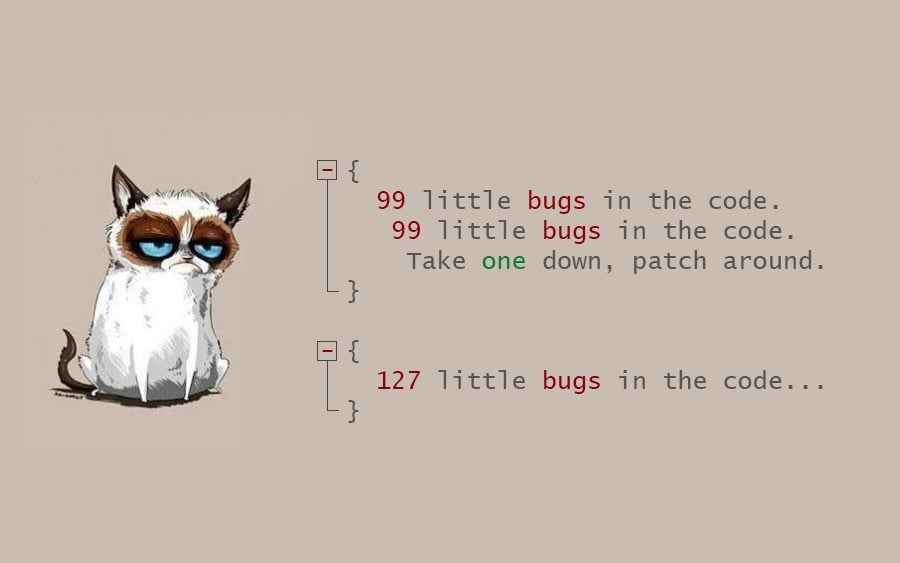
Not really sure where I'm going with this, just wanted to post this meme and there is a minimum character count in posts, sure I'm well past it now.
-
The biggest problem with blueprints is that they require no resources. Which is why many servers block them. They also enable (malicious) player a prime opportunity to cause a lot of chaos in a short period of time.
Isn't Artisans Realm a creative mode sever? Have you tried in there? That's the go to creative mode sever imo.

