


Thanks for bringing this to my attention! Sleeping in a tent or shelter indeed raises the temperature, but this doesn't seem to work well (unless during winter season). I will try to fix this with the next update 
Posts by red51
-
-
Oh, I'm glad to hear it works again!
-
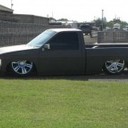
I've tried both "broken" and in a used state "weak"
Oh, you mean the "Worn" state? That's already the best state you get after repairing a tool
 The idea was that a repaired item would never be as good as a brand new item. So the "Pristine" is only available for newly crafted items.
You can only repair items which are below the "Worn" state, i.e. "Damaged" or "Badly damaged". Once they're "Broken", it's too late to repair them (but this is something we're considering to change).

1. Will you make it so you can open a Map, Compass, or Clock while riding a horse or boat? I have to exit and open one of those three objects to be able to view them. It could be user error... but I don't know.
This is on our to-do list, but unfortunately there is quite some work involved to implement that... the problem is that this wouldn't play well with the player animations. Right now the player has a fixed animation and orientation when using a boat or mount (so when looking around, the player only moves his head). If we allow the player to use items, it would be necessary to move the player upper body as well (but that also requires us to restrict the view direction). Unfortunately I have no ETA for this yet

2. Will you make a marker on your map for a horse that has a saddle on it? It would be great to be able to name the horse and have a marker so that if exploring some tunnel, I can remember where my horse is.
Dynamic markers (i.e markers which might change their position dynamically) are planned. Once that's implemented, we will be able to show markers for the last used boat or mount

3. When will there be other suits of clothes?
More clothes will be added after the upcoming store page update

4. Thought - what if you added a Trading ship that would come by on x day of Spring, Summer, and Fall? Maybe not winter because travel is dangerous. However, the trader could have different blueprints or some unique items or food, etc. We would then need to use gold or other materials to trade to purchase the goods. You could even make it so there would be a very very very high price for a ride back to civilization on the ship. This would end your map/game but give a sense of accomplishment of getting off of the islands.
This sounds like a good idea!
Traders are planned, but maybe it's not a bad idea to let them arrive via trading ships. We will take this into consideration!
5. I recently picked up a barrel that had things in it. It caused the items in the barrel to be lost for good... that was a sad moment because I lost all of my aluminum. It makes sense to empty before picking up. But maybe you could add an error or something that says that the barrel or chests must be empty before moving.
When picking up or destroying a full chest, the content will spawn in the world... but due to the physics, they sometimes get pushed far away (making it hard to find them again). I think it's indeed better to change that, so full chests cannot be picked up
Thanks for bringing this to my attention!
Drill will not repair, nothing does in multiplayer. Assuming this is a multiplayer only bug.
Unfortunately the electric tools and firearms cannot be repaired yet... but this is planned for a future update
-

- bei Palmen kommt teilweise die Meldung das sie nur auf Ackerböden angepflanzt werden können - ein Terraforming hat an den Stellen aber nicht stattgefunden
Hmm... mit dem letzten Udpate gab es eine Änderung, dass Setzlinge nur noch auf weichem Grund platziert werden können, also Erde, Gras oder Sand. Sie können nicht mehr auf Stein platziert werden. War an der Stelle evtl. Stein oder Sandstein?
- bei Akazien verschwinden teilweise Baumstammstücke und Setzlinge im Sandboden - ebenfalls Sandboden und kein Terraforming
Meinst du beim Zerkleinern der Baumstämme? Liegen die teilweise im Sand, oder fallen die durch den Boden?


Wie gesagt treffe ich auf keine gefährlichen npc an der Oberfläche. Bären nur in der Arktis. Wölfe auch. Und ghule in der Hölle. Sonst nix. Das ist echt langweilig

Aber Skelette müssten doch nachts spawnen, oder tauchen die auch nicht auf?
 Gegner spawnen aber übrigens nicht in bearbeiteten Gebieten, also nicht in Chunks, die schonmal verändert wurden.
Was die Banditen angeht, hier müssen wir mal schauen, dass wir den Spawn ggf. unabhängig von den Tieren in der Umgebung gestalten...

Es wundert mich dass mein Charakter beim leichten Schneefall in der Arktis friert, dass er Schaden nimmt, trotz des Mantels plus Wollmütze.
Ja, in der Arktis ist es generell sehr kalt... Schaden sollte es bei leichtem Schneefall aber nicht geben, vorausgesetzt auch das Gesicht ist mit einer Sturmhaube geschützt (zusätzlich zur Mütze). Frieren wird der Spieler aber dennoch.
Ich bin mir nicht sicher, inwieweit wir das ändern sollten. Einerseits ist es natürlich suboptimal, wenn man zu schnell friert, andererseits aber wollen wir gerne extreme Temperaturen in der Arktis haben (gerade wo Kleidung auch relativ einfach herzustellen ist - sonst hat man ohnehin nach kurzer Zeit sein komplettes Outfit und muss sich nicht mehr um Temperaturen sorgen).
Schwieriges Thema
Ich wollte nur hinzufügen, dass in der Arktis auch nichts "Actionreiches" spawnt und es wäre gut die Skelette dort auch spawnen zu lassen
Ja, das stimmt, das wäre eigentlich ganz sinnvoll. Ich werde das ändern

Nur die Baumstämme wollen noch nix miteinander zu tun haben.
Ich schaue mir das nochmal an
red51 , gibt es eine Möglichkeit, die Erforschten Rezepte zurück zusetzen?
Es gibt einen versteckten Befehl, womit das indirekt zurückgesetzt werden kann: resetitemstats
Das gilt dann logischerweise nur für den Spieler, der den Befehl ausgeführt hat^^

red51 Kann dieser Kasten links im Bild zu sehen (war vor dem Update noch nicht vorhanden), mittlerweile ausgestellt werden?
Leider nein, aber das kommt mit dem nächsten Update
Bei den Terrainblöcken gibt es das Pflaster noch nicht. Könntest du das bitte irgendwann ergänzen?
Schwierig, da das Terrainpflaster ja transparent ist bzw. das zugrundeliegende Material (Erde, Sand, Stein usw) beibehält. Das ist bei einem Block logischerweise so nicht möglich (da ja kein zugrundeliegendes Material vorhanden ist)

Ich habe deinen Beitrag in Steam gelesen, wäre es dann vielleicht möglich, einen Pflasterähnlichen Terrain-Block hinzuzufügen, wenn der normale Terrain-Pflasterstein nicht funktioniert? Ich finde das Terrain-Pflaster sehr schön, allerdings muss die zu bemalende Fläche relativ groß gewählt werden, da sich sonst das Pflaster am Boden nicht abzeichnet,
Wir könnten den theoretisch fest mit Erdetextur anbieten... die könnte man dann aber leider nicht ändern.
red51 , ich habe noch eine Kleinigkeit gefunden.
Bei der Karte, sind manschmal Wasser Reflecktionen zu sehen.Ja, das ist leider ein Bug... in Unity 6 hat sich die Sortierung für transparente Elemente geändert, wodurch Wasser und Glasscheiben nun anders gerendert werden müssen. Das kollidiert leider mit der Map, die aus technischen Gründen auch als transparentes Objekt gilt. Wir werden aber dafür einen Workaround einbauen

Diese Spinne sieht ziemlich gross aus, nun meine Frage, gibts so eine grosse Spinne auch in Real ?
Gefühlt ja
 Aber ob's auch wirklich so ist, keine Ahnung... wir wollten die aber nicht zu klein machen, da sie sonst echt schwer zu erkennen ist.
Ne andere Sache, die mir auf gefallen ist, das ich ein Holzstück nicht aufnehmen konnte, weil die unter Blumen liegen. HAb ein Screenshot gemacht. Leider ist die maus nicht zusehen, dann könnte man sehen, das die Hand zum nehmen fehlt. Kann sein, das nur ein Random gewesen ist, da ich sonst so einen Fehler nicht gehabt hab.
Das ist tatsächlich problematisch... das können wir leider nicht so einfach ändern... ich packe es dennoch mal auf unsere Liste
Bin da gejoint und hatte nur noch wenig zu Essen und war auch ziemlich durstig
Bei einer ganz neuen Welt? Existierte die Welt vorher wirklich noch nicht? Denn eigentlich gibt es keine Chance, dass man in einer Wüste spawnt
Danach bin ich neue gespawnt, aber war nicht mehr in dem Biome wo ich wo hopst gegangen bin.
Nach dem Ableben spawnt man generell am letzten Spawnpunkt, also das letzte Zelt oder Bett. Wenn es keinen gibt, dann spawnt man stattdessen beim Standardspawn der Welt, d.h. dort, wo man auch erstmalig spawnte (als man die Welt erstellte).
Noch eine Sache, das mit dem Backen, ist an mir irgendwie vorbeigegangen, wie funzt das ? Leider konnte ich das auch nicht in unserer Wiki finden .. hmm .. da müssen wir mal nachbessern ;D
Wie SonoBionda schon sagt, grundsätzlich muss der Teig in den Ofen gelegt werden. Das Backen von Keksen geht recht flott, aber Brot dauert ca. 12 Minuten, bis es gebacken ist
red51 die mitspieler hinterlassen Schneeabdrücke im Haus
Danke für den Hinweis! Das ist ein Bug, das werden wir ändern!
-
The edit element feature no longer allows you to change an element by simply clicking on it any more, now you have to select another option from the radial menu. This is most inconvenient when trying to build a big project and change hundreds of elements accurately. Please can this be put back to how it was
Could you elaborate on that? You're probably referring to the F8 edit tool (1)? What do you want to change exactly, the texture?
Left click basically still performs the "Repeat last action" (from the radial menu), everything there seems to be still working as expected
-

When i do the command it get this
Oh, sorry, my bad
 You have to provide a value, too, so the actual command is setoption stopnans true
An Easter Egg in the game?
Hehe, yeah, it's a very rare cow variant

Also, what does the grindstone repair? None of my iron tools will repair, only sharpen.
Are the tools already "broken", i.e the item condition if you hover them in inventory shows "broken"? In this case they're unfortunately too damage, so you can no longer repair or sharpen them

We're still not sure about whether or not to keep this though... maybe we will remove this limitation.
-
I'm glad to hear it works now

-
Wenn ich als Admin im Inventar das Grüne Plus (Neues Item Hinzufügen) benutze und danach, dieses Item erhalte. Wird das Menü-Inventar neu Gebaut, dabei wird aber nicht mehr der PlayerToggleInventoryEvent ausgeführt.
Danke für den Hinweis! Das werde ich mir nochmal anschauen, vmtl. macht es Sinn, hier ToggleInventory nochmal zu triggern
Bei TextureAsset.loadFromAssetBundle habe ich Versucht ein NULL zu Laden.
Welcher Parameter war null? Das AssetBundle? Oder der Pfad bzw. Name? Oder die zurückgegebene Textur?
Kannst du mir evtl. ein kleines Codeschnipsel geben, mit welchem der Fehler auftritt?
-
Monster habe ich auch keine gefunden bisher
Danke für deinen Report! Du hast geschrieben, dass du nach den Monstern gebuddelt hast? Tatsächlich ist die Einstellung darauf bezogen, dass Monster bzw. genau genommen Skelette (Nachts) an der Oberfläche spawnen. Unterirdisch gibt es leider keine Monster, lediglich Spinnen.
In der Hölle spawnen dann wiederum überwiegend Ghule, und vereinzelt Feuerwölfe (letztere sind aber seltener)
funktioniert auch nicht ... und es sind auch wirklich nur die Admins betroffen (habe es mit TheKing getestet)
Hmm.. das hätte eigentlich klappen sollen
Muss ich mir nochmal anschauen, werde ich für das nächste Update beheben!Was sonst zwischenzeitlich definitiv funktionieren müsste ist eine Permission für die Admins anlegen, dort pve auf true ändern, Admins dieser Gruppe zuweisen und in der server.properties entsprechend Admins_AdminsFullPermissions auf false ändern (damit die Gruppenpermissions für Admins greifen).
Unknown permission value type: System.Single
Das ist leider ein Bug, ist aber erstmal unbedenklich. Wird mit dem nächsten Update behoben
Angenommen ich lösche die Arktis im Norden der Startinsel, würde das Spiel immer wieder eine Arktis generieren? Ich spiele mit dem Gedanken meine Insel irgendwann mit anderen Inseln zu einer Großen Insel zu verbinden. Geht das dann nur richtung Westen und Osten?
Wenn ich mich recht entsinne ja. Du kannst aber die Region überschreiben mit dem overrideregion Konsolenbefehl
Der Undo-Befehl funktioniert bei mich nicht richtig. Ich kann nur noch 8 Bauteile zurückholen, vorher waren es 40 ca.?
Hmm... meinst du damit, dass du nur noch 8 Schritte zurückgehen kannst? Sprich wenn du 40 Blöcke einzeln weghaust, du nur 8x Undo machen kannst? Oder meinst du, wenn du zB mit dem Creative-Modus Lösch-Werkzeug 40 Blöcke auf einmal löschst, und du die wiederherstellen willst, das nur 8 wieder auftauchen?
An sich sollte es weiterhin wie gewohnt funktionieren, habe es auch nochmal getestet... was gibt die Konsole denn aus, wenn du getoption undosteps eingibst? (Standardwert sollte 50 sein, also 50 Undo-Schritte)
Wäre es möglich die Oberflächenbearbeitung nach einem Teilstück der Bearbeitung einzufrieren und dann weiter zu machen? Bisher müssen solche Teile aufeinander geklebt! werden, eine nahtlose Bearbeitung ist nicht möglich. Ich stelle mir dazu eine Vase vor, die im Moment aus vielen Einzelteilen mit mehr oder weniger zu sehenden Verbindungsstücken zusammengefügt werden muss. So eine Arbeit ist im Moment nicht wirklich möglich, da selbst wenn die Oberflächenbearbeitung ausgestellt wird, das ganze Bauteil irgendwie noch als Ganzes angesehen wird. Ich habe das mit den hohlen Zylinder versucht, es funktioniert leider nicht so wie ich mir das vorstelle, da bei Änderung der Größe sich die bisher mühsam erarbeitete Form überall verändert.
Wie meinst du das genau?
Wie das allerdings ressourcenmäßig aussieht, wenn man sehr viele Inseln mit Blaupausen verbindet, weiß ich nicht, würde mich allerdings red51 mal interessieren. Terrain-Blaupausen dürften um einiges schneller gehen, als die ganzen Inselverbindungen manuell zu gestalten
Nach dem Platzieren ist es aus Performancesicht egal, wie das Terrain zustande kam, also ob es manuell verbaut wurde oder via Blaupause (jeder Bezug zur Blaupause ist nach dem Platzieren ohnehin verloren).
1. Verändertes terrain sieht aus der Entfernung leider anders aus als natürlich generiertes. Verzerrt und mit komischen Streifen
Das hält mich inzwischen davon ab sowas zu machen, da es einfach hässlich aussieht aus der Distanz.
Das "LOD-Terrain" in der Ferne (also außerhalb der "Detail-Sichtweite") kann leider keine Überhänge etc. darstellen (das war in der Java Version auch bereits so). Sprich das Terrain dort ist im Grunde nur eine 2D Höhenmap, und kein 3D Voxel-Terrain (wie der Nahbereich innerhalb der Detail-Sichtweite). Wie Forscherdrang schon sagt, wenn du zB eine steile 90° Klippe hast (oder mehr als 90°, also irgendein Überhang oder schwebende Terrainelemente), dann wirst du leider diese unschönen Wände im Terrain sehen...
Das Spiel stellt das LOD-Terrain aus Performancegründen so ungenau dar. Unter normalen Umständen reicht das auch völlig aus, wie gesagt, nur Überhänge und schwebendes Terrain sind dadurch nicht möglich. Würden wir in der Ferne auch Voxel-Terrain generieren (was zB Überhänge darstellen könnte), hätte das leider einen zu großen Einfluss auf die Performance
Eine Ausnahme ist, wenn du plötzlich irgendwelche Wände oder "Spitzen" im Terrain siehst, obwohl da gar nichts derartiges sein sollte (zB solche Streifen oder Spitzen, obwohl dort flaches Terrain ist usw). Das ist ungewollt, ist aber leider schon etwas länger im Spiel... das tritt meist nach umfangreichem Terraforming auf und passiert dann, wenn zB einzelne "Terrainblöcke" in der Luft zurückbleiben. Die werden im Nahbereich oft gar nicht mehr gerendert (durch das Smoothen des Terrains können einzelne Terrainblöcke nicht dargestellt werden, sondern mindestens nur 2x2 Blöcke), aber in der Ferne werden sie dann sichtbar. Das ist etwas was wir auf jeden Fall noch beheben wollen.
Um zu verifizieren, was bei dir los ist: Könntest du evtl. ein Bild davon posten (einmal weit weg, wenn das verzerrte Terrain sichtbar ist, und dann im Nahbereich, wie es eigentlich aussehen sollte)?
Meine Frage an red51 Ist es möglich, dass sich das Terrain-kopierte Gebiet langsamer lädt, also der Chunk? Mir ist das nicht aufgefallen, aber es wäre eigentlich dann unnötig überhaupt eine Landschaft zu kopieren. Ich denke das ist am Anfang so, später müsste sich dieses kopierte Gebiet rechnerisch doch in die anderen Landschaften einfügen? Ich habe bisher gute Erfahrungen damit gemacht, diese Spitzen sind ja mittlerweile auch verschwunden.
Nein, eigentlich nicht. Wie gesagt, es ist egal, ob du Terrain von Hand erstellst (mit dem F5 Werkzeugen) oder via Blaupause, das Resultat ist dasselbe. Auch das Generieren des Terrains ist genauso schnell.
Einzige Ausnahme ist, wenn du sehr detailreiches Terrain erstellst, was aus vielen Polygonen besteht. Das ist logischerweise langsamer in der Generierung, als topologisch ganz simples Terrain. Sprich ein komplett flaches Terrainstück ist schneller generiert als ein riesiges Korallenriff im Großformat. Aber auch hier ist es völlig egal, ob du das von Hand erstellst oder via Blaupause.
-
-
The "Copy block" button is the middle mouse button by default. F is used for interaction by default. However, since the 0.8 update, interaction input cancels all other input that's bound to the same key, so unfortunately you cannot use F for interaction and block copy, for example... it would be necessary to use another key for that instead
-
Thanks for the log! It seems that the steamclient.so could not be loaded (so Steam couldn't be initialized). There are basically two ways to fix this issue: You can either set the LD_LIBRARY_PATH to the "linux64" folder (this is where Steam extracts the steamclient.so), to do that, you could set up a small (executable) .sh script with this content and launch the server through that script:
Or alternatively you could make sure that a steamclient.so is located under /root/.steam/sdk64/ (this is where Steam alternatively looks for the lib)
-
Yes, that should already work in the new version
-
Make sure you're playing the new version
For the Standalone, it's a separate launcher (which need to be downloaded into a separate folder), while for the Steam version, a separate beta branch needs to be enabled first. To verify that the new version is running, you can check out the version number in the lower left corner in the main menu (it's 0.8.0.2 right now for the new version - if it's 0.9.6 instead, it's the old Java version).As mentioned by CursedXistence , basically you will have to travel to another island to find arctic or arid regions. There is always an arctic (snow) region north to your starter island and always an arid (desert) island south to your starter island
This is on all world types (including flat worlds). -
Sorry for my late response! Actually the branches weren't supposed to be in the update
I was tinkering a bit with that, but forgot to remove the spawn from the birch tree...With the latest hotfix, however, all young trees drop sticks instead if you cut them down
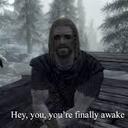
same as the baked bacon xd
This should also be fixed since the latest hotfix
-
Yeah, this is indeed a bit problematic... we will change this with the next update
-
-
Semi unrelated question, is there a way to see how many times our blueprints have been downloaded on here that I'm just missing?? If I look at someone else's blueprints it'll show how many times it's been downloaded, but doesn't for if I do the same from my own and I know some have definitely been downloaded. If there isn't, is that something that could possibly be added? It would be really helpful info to know.
If you add an attachment to a post, the forum will show how often it had been downloaded. But if you insert the attachment into the post by clicking on "Insert into message", there is AFAIK no way to see how often it had been downloaded. Not sure if there is a way to expose this stat
So to keep track of downloads, just upload the attachments, but don't insert them into the post (they will then be displayed at the bottom of your post)

I have noticed an issue in the logs since the hot fix. it may have been there before and i didn't notice. anytime a player enters and area the logs reads Unknown permission value type: System.Single. permissions still seem to be handled correctly.
Hmm... yes this seems to be indeed a bug
Thanks for letting me know, I will fix this with the next update! -
Wie weit ist denn der Abstand?
Ca. 10 Blöcke, ausgehend von der anvisierten Rakete
 Aber mann kann die nicht Blueprinten
Nee, leider nicht... das Feuerwerk ist kein Objekt, sondern ein Item. Bislang ist das Platzieren von Items noch nicht vollständig implementiert und Items werden auch nicht gespeichert, nur für das Feuerwerk ist das notdürftig drin^^ Das kommt noch, sobald das Platzieren von Items Kernbestandteil des Spiels wird (was übrigens nicht mehr unendlich lange auf sich warten lassen wird)
Report erstellt. ich hab in der Auflistung keine Banditen gesehen.
Danke für den Report! Da sind tatsächlich keine Banditen, nur einige Barbaren gibt es offenbar...
An sich sieht auch alles gut aus, lediglich das Spawnen von Monstern ist scheinbar aktiv? Das sorgt leider häufig dafür, dass Banditen ein wenig verdrängt werden (weil Monster relativ häufig gespawnt werden)...

Hallo red51 wann wird das behoben?? ich möchte schon als Admin die NPC,s töten können wenn ich sie an gewisse stellen nicht gebrauchen kann.
Das ist tatsächlich ein Bug
Merkwürdig... ich werde das mit dem nächsten Update beheben, du solltest es aber auch fixen können, indem du folgendes zur server.properties Datei hinzufügst und dann den Server neustartest: Permissions_OverridePvE=True
red51 Wenn man das Raster und modulares Andocken gleichzeitig aktiviert hat, dann flackern Türen, Leitern, Absperrgitter und Gerüste.
Stimmt, also du meinst das Element, welches man gerade platzieren will? Danke für den Hinweis, ich werde das beheben
Also irgendwie bekomme ich nicht soviele Biome zu Gesicht, hab nun einige Welten erstellt und auch sie durchforstet, wäre super, wenn man auf der Map die Biome sehen könnte. Vielleicht so in Farben unterteilt, muss ja keine TExtur sein ;D
Meinst du Biome bzw. Subbiome im Sinne von Wäldern, Wiesen usw, oder meinst du Biome im Sinne von Regionen, also arktische Region, Wüstenregion, gemäßigte Region usw?
Regionen spawnen immer nur per Insel, das ist rein zufällig (lediglich hart verdrahtet sind die Arktis im Norden der Startinsel und die aride Region im Süden).
Heißt das, du findest nicht genug Schnee- oder Wüsteninseln, oder ist auf den Inseln zu wenig Wald usw?
Ach Vögel wären auch nicht schlecht, so kleinere wie grosse ;D Und der Oberbrüller wäre dann das man einen Falken abrichten und diesen auf schlagen oder sonst irgendwie jagdmässig einsetzen könnte. Und natürlich Haustiere wie Hunde, Katzen, meerschweinchen
Vögel sind noch geplant
Ist aber eher ein kleineres Detailfeature, darum haben wir das erstmal etwas nach hinten geschoben Hunde und Katzen würde ich gerne einbauen
Wenn ich mit kühlem Kopf rangehe denke ich aber, dass es besser wäre, das wohl erst nach der 1.0 zu machen. Haustiere könnten da nochmal ein ganz eigenständiges und umfangreiches Thema sein. Ggf. wäre das sogar in Form eines DLC denkbar (und das kommt eh erst nach der 1.0 in Frage)
red51 Was mich schon seit längerem etwas stört, ist dass ich ein Objekt beim Auswählen per Doppelklick in die Slotleiste legen kann, das Ganze aber bei einem Block nicht möglich ist.
Ich bin mir nicht sicher, ob ich weiß, was du genau meinst... Doppelklicken (zum Schnellverschieben von Items von Inventar -> Schnellleiste oder Kiste oder umgekehrt) verhält sich bei allen Items im Inventar gleich, habe das nochmal in allen Varianten durchgetestet... allerdings glaube ich, dass du dich gar nicht auf das Verschieben von Items im Inventar beziehst, sondern auf das Craften von Items? Da wird das Doppelklicken im Crafting-Menü bei Blockformen tatsächlich nicht erkannt (was natürlich nicht gewollt ist). Das werde ich noch ändern
-
Momentan geht das quasi, aber leider nur via Konsolenbefehl, wie Deirdre schon sagt... dafür musst du nach dem Platzieren das Poster betrachten und dann edit attribute disablenormal eingeben - dann sollte die raue Oberfläche verschwinden
Wir werden dafür aber noch eine direkte Option anbieten (zB übers Radial-Menü).


